Built for the Run of Show
Cover the moments before, during, and between live segments with studio layouts, lower thirds, NOW / NEXT graphics, tickers, waiting screens, and break screens.
LHM Studio
Create, customize, and operate live stream overlays from one production system. Move from an esports desk or post-match interview to a podcast, panel, webinar, or live event with ready-made graphics for every part of the show.


A New LHM Category
Start with the show—its people, cameras, schedule, sponsors, and on-screen information. Then choose a complete package or the individual graphics needed for the current segment.
LHM brings its organized esports-production workflow to desk segments, interviews, panels, podcasts, and live shows. HUDs for the game. Broadcast graphics for the show.
Cover the moments before, during, and between live segments with studio layouts, lower thirds, NOW / NEXT graphics, tickers, waiting screens, and break screens.
Prepare show and participant information once, then use it across the graphics that need it instead of copying names and details between separate files.
Use a complete Studio Overlay or add individual components to the OBS or vMix scene structure your team already operates.
One, Two, or Four Cameras
Move from a solo introduction to an interview, expert panel, analysis desk, or shared-screen presentation while keeping one consistent visual system.
Studio Overlays
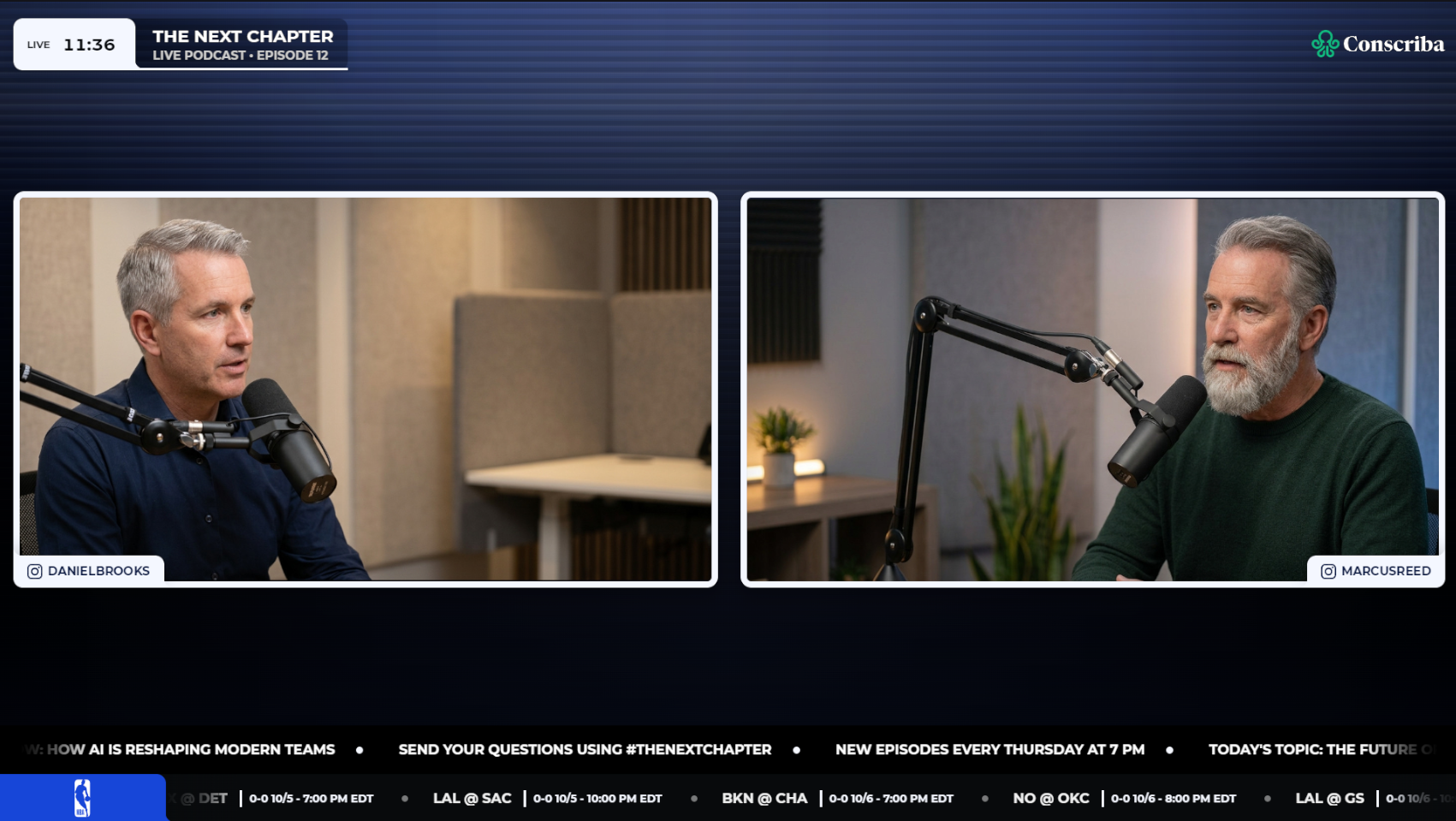
Choose an information-rich full overlay, a cleaner Lite layout, branded waiting screens, or standalone graphics for the OBS or vMix production you already operate.
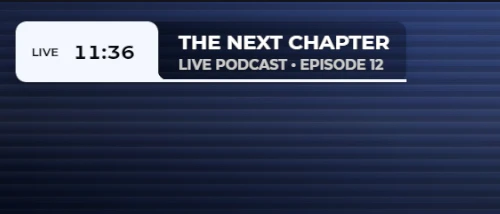
Frame the show with LIVE status, program information, participant lower thirds, sponsor content, NOW / NEXT, headlines, and sports results.
Keep essential identification and show graphics while giving cameras and shared content more room on screen.
Carry the same branding through countdowns, starting screens, breaks, and intermissions.
Use LIVE, NOW / NEXT, sponsor, lower-third, ticker, waiting-screen, break-screen, and camera-stage components independently.
More Than a Camera Frame
Use only what the format needs, keep the package consistent, and update show information without rebuilding the composition.
From Setup to Show
People and Customization
Reuse participant details across graphics and adjust the available colors, backgrounds, show information, sponsor content, and layout variants.
Reuse confirmed participant details across relevant lower thirds and guest graphics.
Move from one guest or panel lineup to the next without typing every name into separate OBS or vMix text sources.
Keep participant presentation aligned across interviews, analysis desks, panels, and recurring shows.
Align the desk, interview, waiting, and break graphics with the event identity.
Prepare a consistent branded variant for a commercial partner or production client.
Keep the visual system familiar from episode to episode while changing the people, topics, and schedule.
Bring the same controlled presentation to a talk format, webinar series, or internal broadcast.
Built for Esports. Ready for More.
Connect pre-match analysis, halftime desks, expert panels, player interviews, and post-match recaps to the wider tournament presentation.
Frame one-on-one conversations, co-hosted episodes, remote guests, and four-person panels with lower thirds, participant identification, sponsor placement, and upcoming segments.
Combine camera layouts with headlines, sports results, partner graphics, waiting screens, and intermission coverage.
Present speakers, shared screens, program information, and branded break scenes in a consistent visual system.
Production Control Beyond Static Templates
Static graphics can give a stream a look. LHM gives the production team a system for operating that look across the show.
Keep live segments, lower thirds, sponsor graphics, waiting screens, and breaks visually connected.
Manage show and participant details in LHM instead of rebuilding the same identification graphics in every scene.
Switch between one, two, and four cameras, equal framing, guest focus, and screen sharing within a consistent graphics system.
Start with a finished Studio Overlay or assemble individual components inside an established OBS or vMix production.
Bring desk shows, interviews, panels, and supporting segments closer to the same LHM ecosystem used for game and tournament production.
Coming Soon
Composer for Studio Production
Composer will bring LHM’s no-code customization concept to Studio. It will give producers more control over colors, shapes, borders, fonts, sizes, positioning, visibility, layer order, layout composition, and custom assets—while keeping the work inside LHM.
Build a branded graphics package, preview changes as you work, save reusable presets, and create variants for different clients, shows, sponsors, or events. Instead of developing every overlay from scratch, teams will be able to adapt the structure and style of LHM components to the production in front of them.
Control the appearance and arrangement of studio components with more precision.
Prepare distinct visual variants for clients, shows, tournaments, and event formats.
See the graphics as they develop and refine the package without moving between disconnected design and production steps.
LHM Interview
LHM Interview will expand the LHM Cameras concept for studio interviews. Producers will be able to create an interview session, send a dedicated link to a remote guest, and bring the guest’s video and audio into the Studio workflow without asking them to configure a complex production setup.
The planned connection with People will link the participant’s identity to the visual presentation. Producers will be able to choose who is currently visible and pair the selected participant with the relevant lower third and studio overlay.
By connecting the guest feed, participant data, and graphics inside the LHM ecosystem, LHM Interview will reduce the number of disconnected tools and manual handoffs required for remote interview production.
Create an interview session in LHM.
Send the dedicated session link to the remote guest.
Receive the guest's video and audio in the studio production workflow.
Connect the guest to a reusable People profile.
Select the visible participant and show the connected lower third and studio graphics.
Broadcast graphics are the visual elements placed around or over live video to identify people, explain what is happening, carry live information, and present the show's brand. They include lower thirds, LIVE badges, tickers, sponsor graphics, NOW / NEXT cards, camera layouts, and full-screen waiting or break graphics.
Studio is the LHM category for creating, customizing, managing, and operating the visual layer around a live show. It includes complete studio layouts, modular overlays, participant profiles, waiting and break screens, and graphics for use with OBS Studio and vMix.
No. Esports desk segments, tournament panels, and post-match interviews are core use cases, but Studio also supports podcasts, talk shows, sports coverage, webinars, corporate broadcasts, online events, and other multicamera productions.
Yes. You can use a complete Studio Overlay or add standalone components to the OBS scenes you already operate. Available components include video-stage layouts, lower thirds, sponsor graphics, tickers, waiting screens, and break screens.
Yes. Full layouts and standalone Studio components can be assigned within a vMix production, allowing teams to add LHM graphics to an existing workflow or build a coordinated studio scene package.
Studio supports one-, two-, and four-camera layouts. Options include equal layouts, guest-focus layouts, and screen-sharing layouts for interviews, panels, podcasts, analysis desks, and presentations.
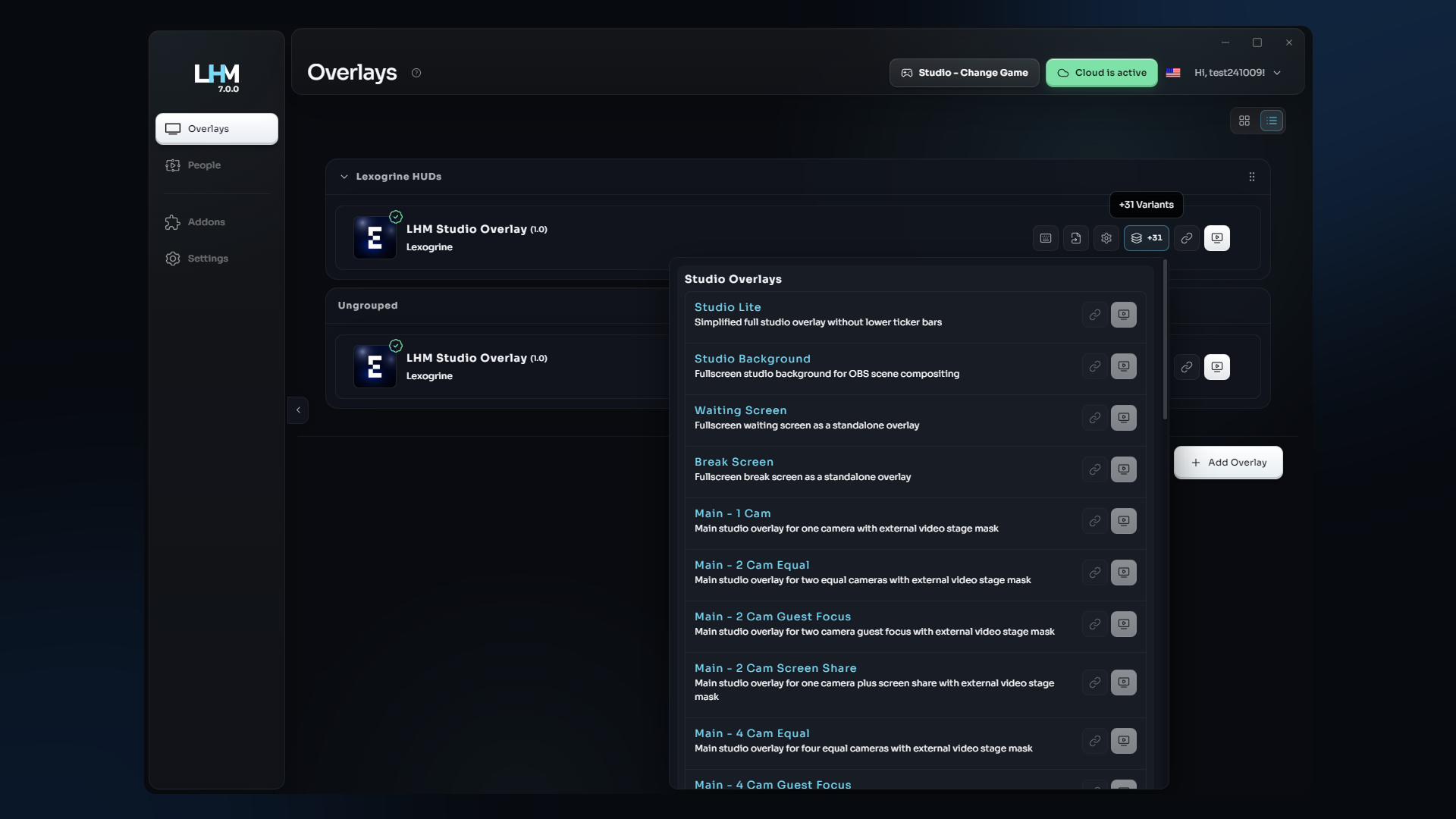
Studio Overlay is the information-rich package, with a lower headline ticker and sports results ticker in addition to the core studio graphics. Studio Overlay Lite removes those persistent lower tickers to give cameras and shared content more visual space while keeping LIVE status, show information, participant graphics, sponsor placement, and NOW / NEXT functionality.
Yes. Current customization includes colors, backgrounds, selected visual styles, show information, participant information, sponsor information, and layout variants. More advanced no-code control through Composer for LHM Studio is planned and clearly marked Coming Soon.
Yes. Major components can be launched as standalone overlays, including the LIVE badge, NOW / NEXT, sponsor block, video-stage layouts, lower third, headline ticker, sports results ticker, Waiting Screen, and Break Screen.
Put the Full Show in Frame
Build the studio package, prepare the people and show information, and bring the graphics into OBS or vMix.