Live match HUD
Run a professional Valorant observer HUD with a detailed matchbar, side player panels, observed-player views, round history and game-state information designed to stay clear during live gameplay.
Professional Valorant broadcast HUD
Run an advanced Valorant spectator HUD built for tournaments, streams and live esports production. Connect detailed match graphics, player information, analysis views, production overlays and color presets in one LHM workflow.
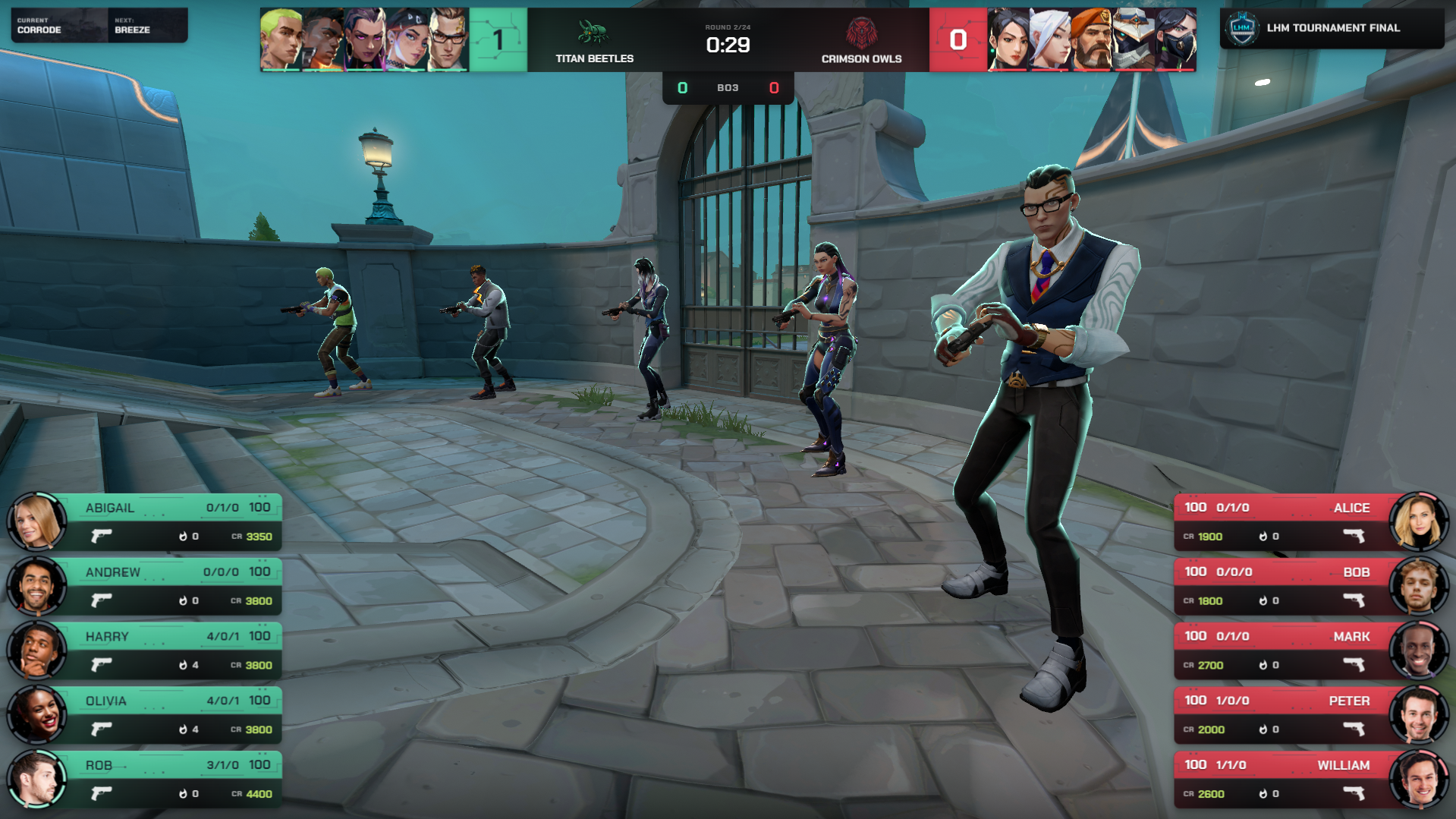


One connected workflow
Ultra Valorant HUD brings live gameplay, player data, match analysis and graphics around the game into one visual system. Prepare your event in LHM, keep teams and match data connected, and carry the same broadcast identity across the live HUD, prematch, match summary, tournament bracket and studio screens.
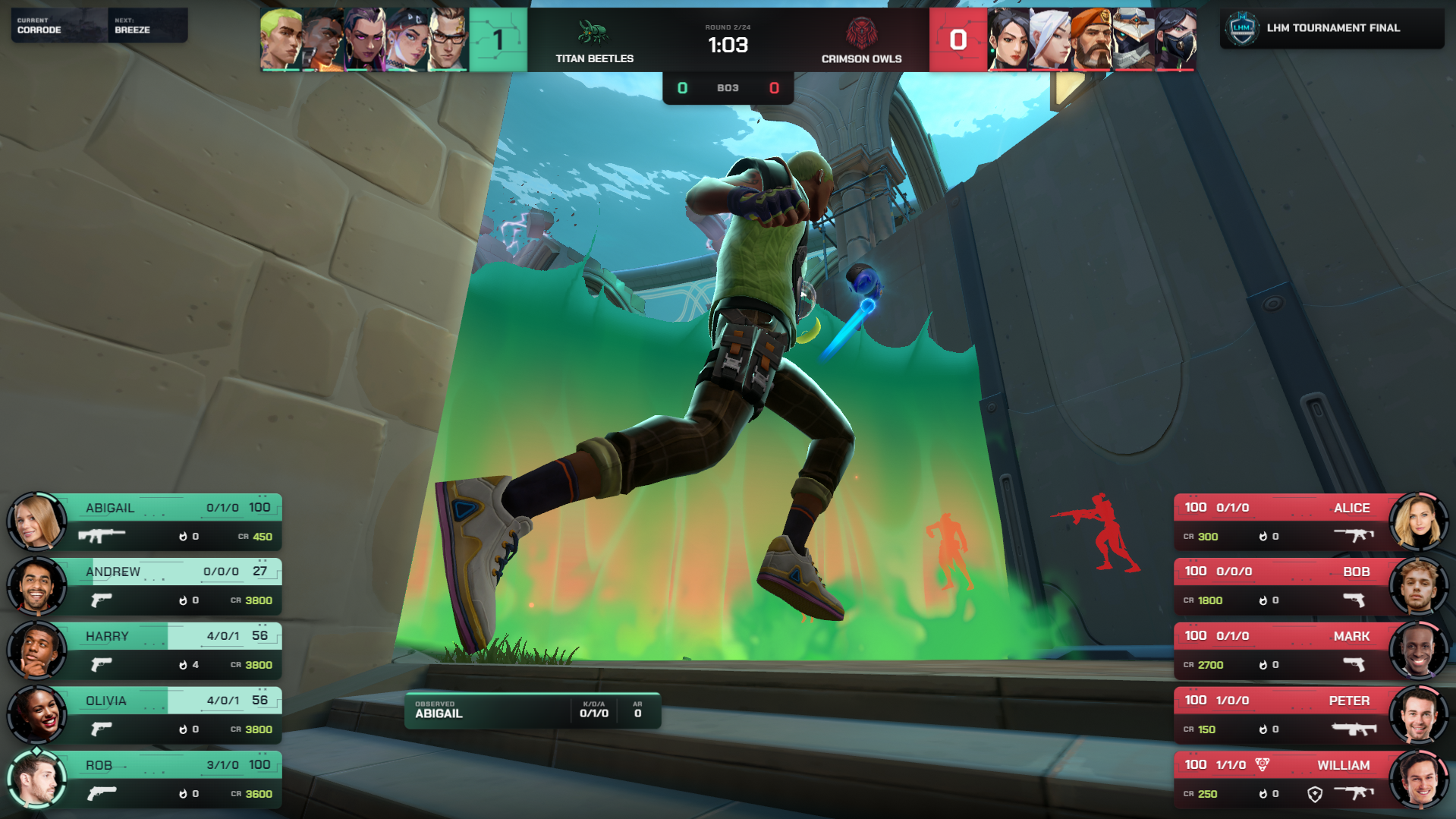
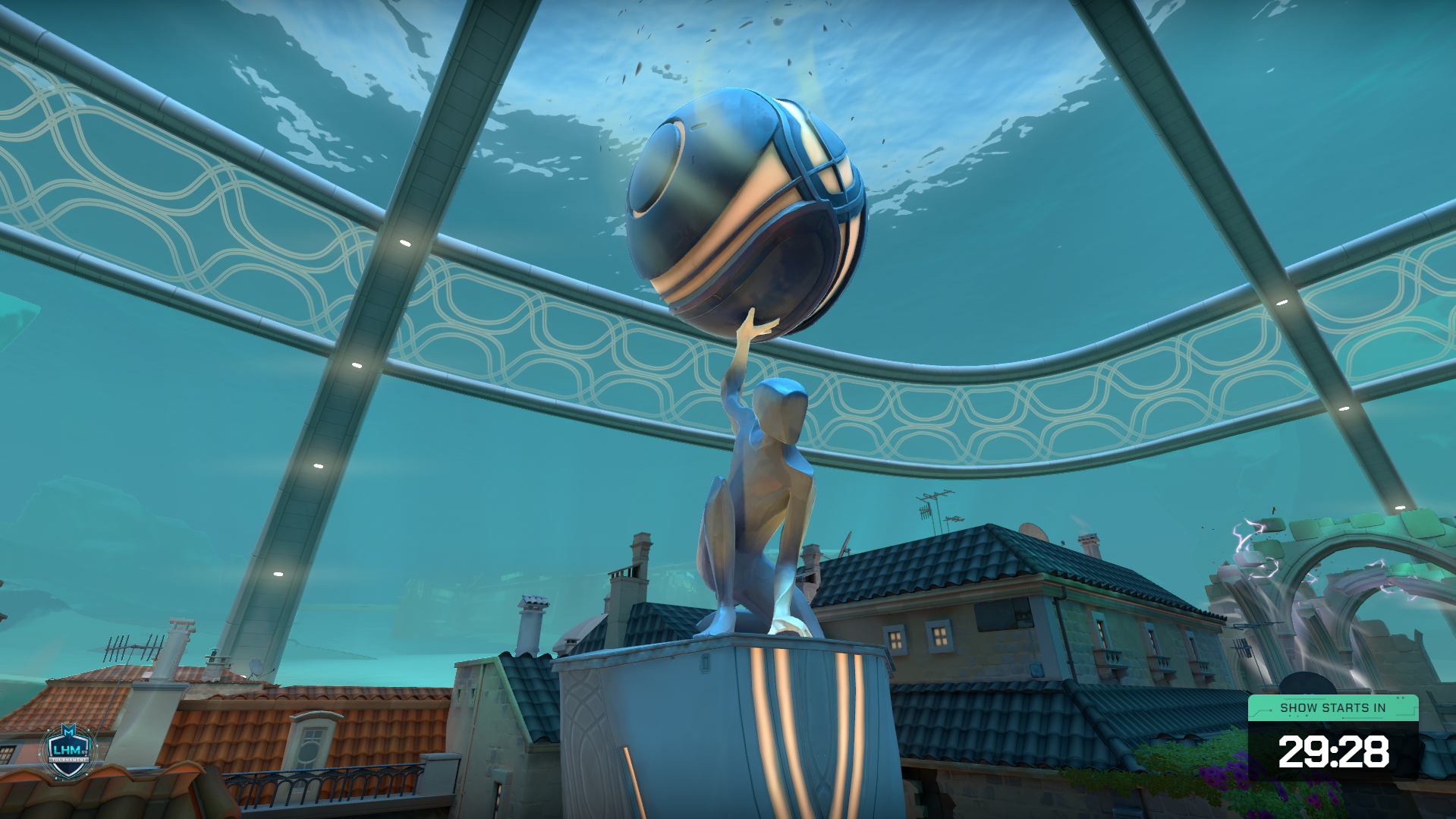
Complete production flow
Keep the same teams, match context and visual identity around the gameplay with dedicated screens for waiting periods, match introductions, tournament structure, summaries and studio segments.
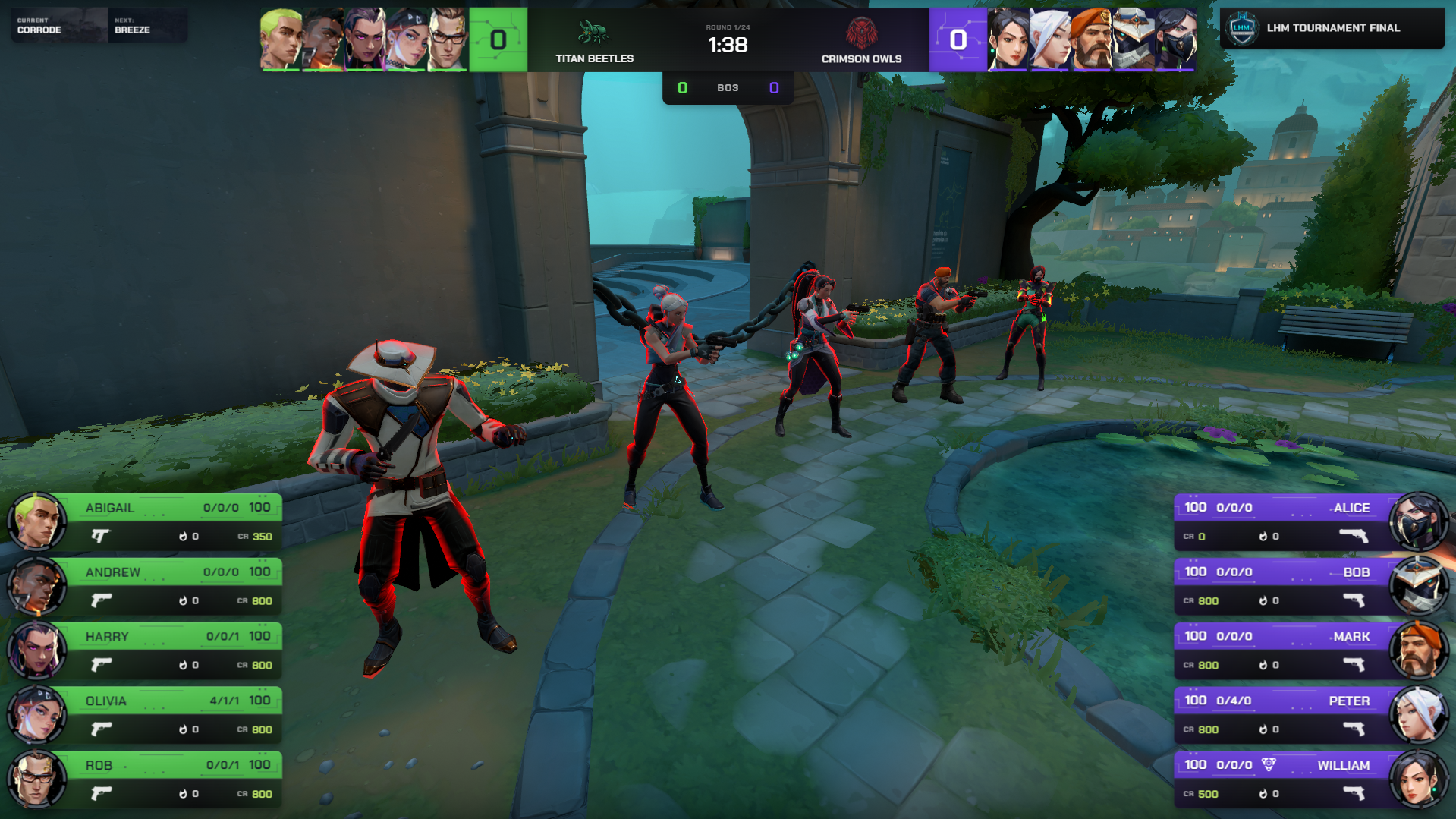
No-code color customization
Adapt Ultra Valorant HUD to the visual identity of your tournament, client or broadcast without editing the HUD code. Use the built-in color picker to configure the HUD presentation, then save reusable presets in LHM Cloud for future productions.
Built for live Valorant production
Give viewers the match context they need while keeping the game itself easy to follow. Ultra Valorant HUD combines detailed live information with dedicated views for analysis, production transitions and event presentation.
Keep the game score, BO score, round timer, round history, teams and agents visible through a matchbar designed around the information viewers follow throughout a Valorant match.
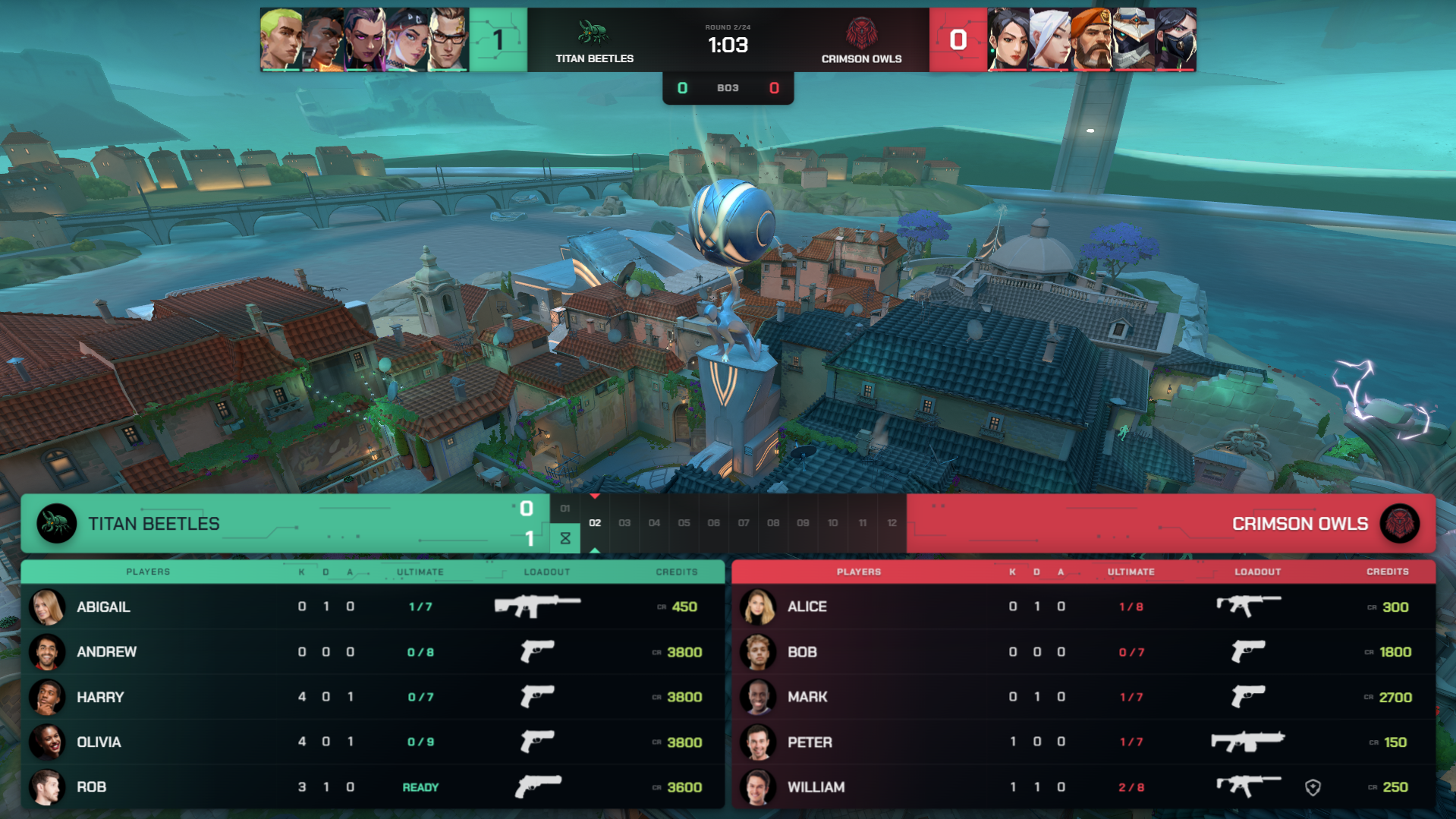
Show player identity, agent, HP, credits, weapon, KDA, ultimate status and round kills in dedicated side panels that make the state of both teams easier to read.
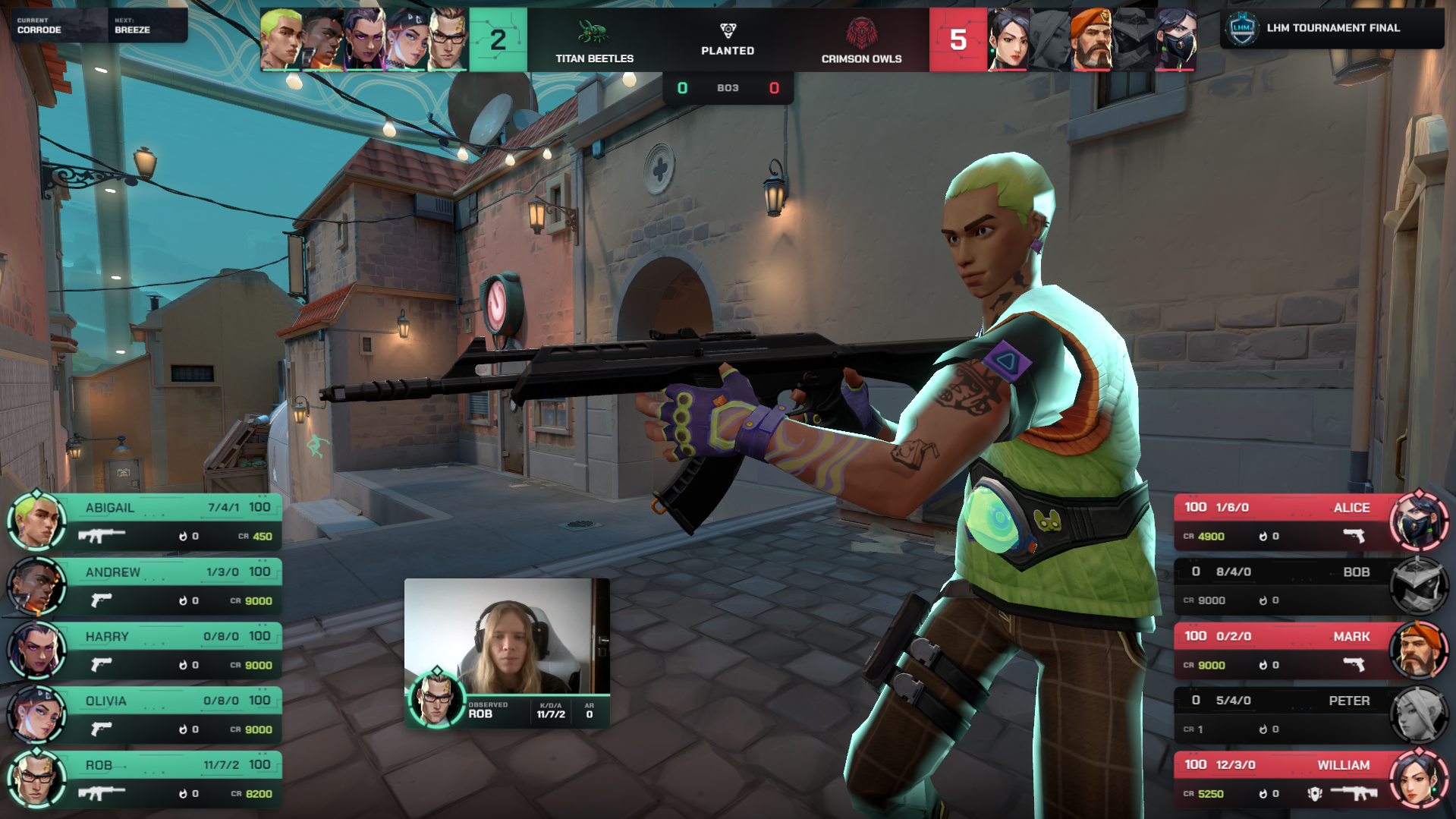
Use an adjustable observed-player component with multiple variants to give the player currently in focus a dedicated layer of identity, statistics and match context.
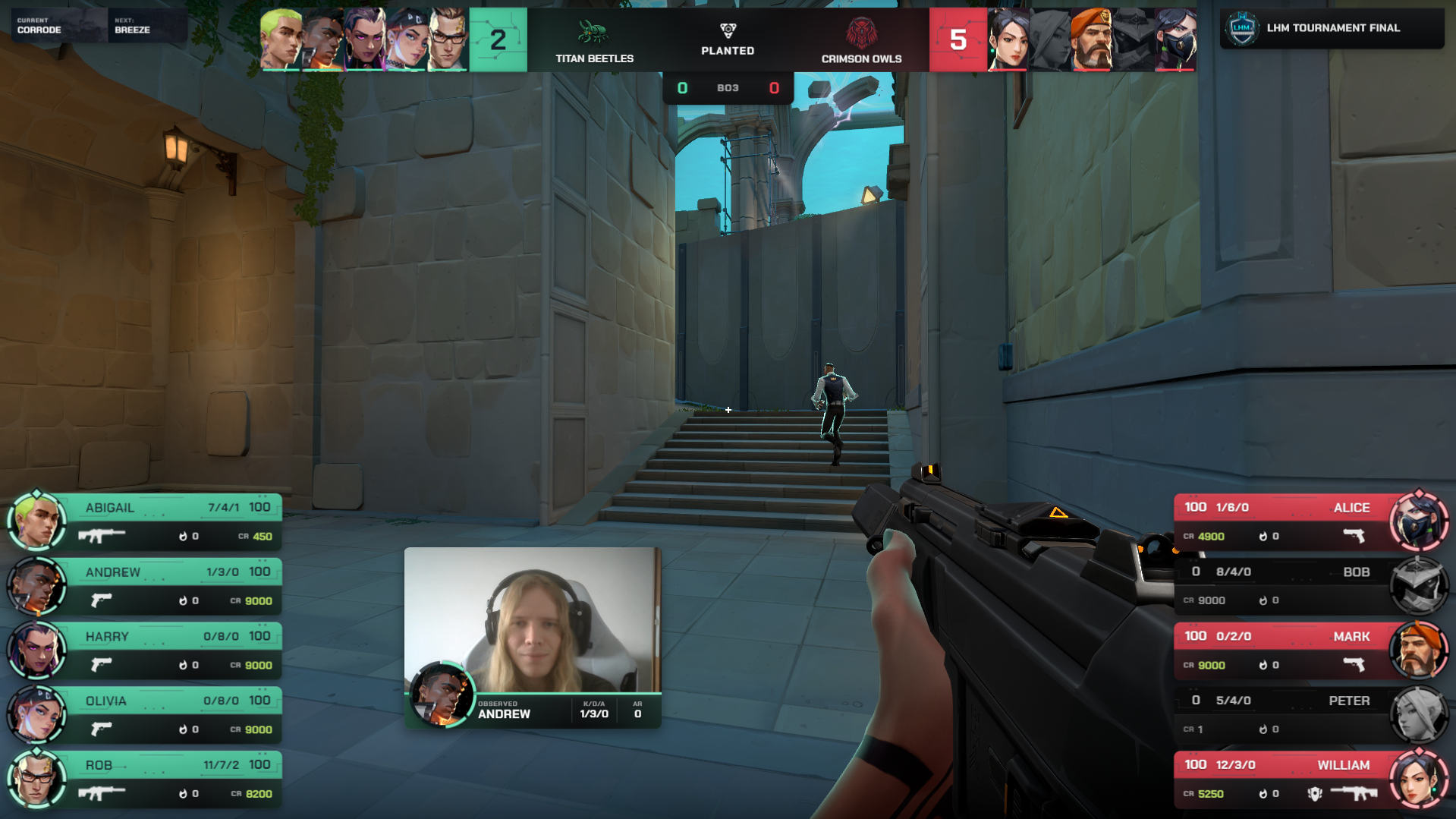
Compare two competitors by kills, assists, deaths, ultimate status and credits through a dedicated player comparison view built for live analysis and storytelling.
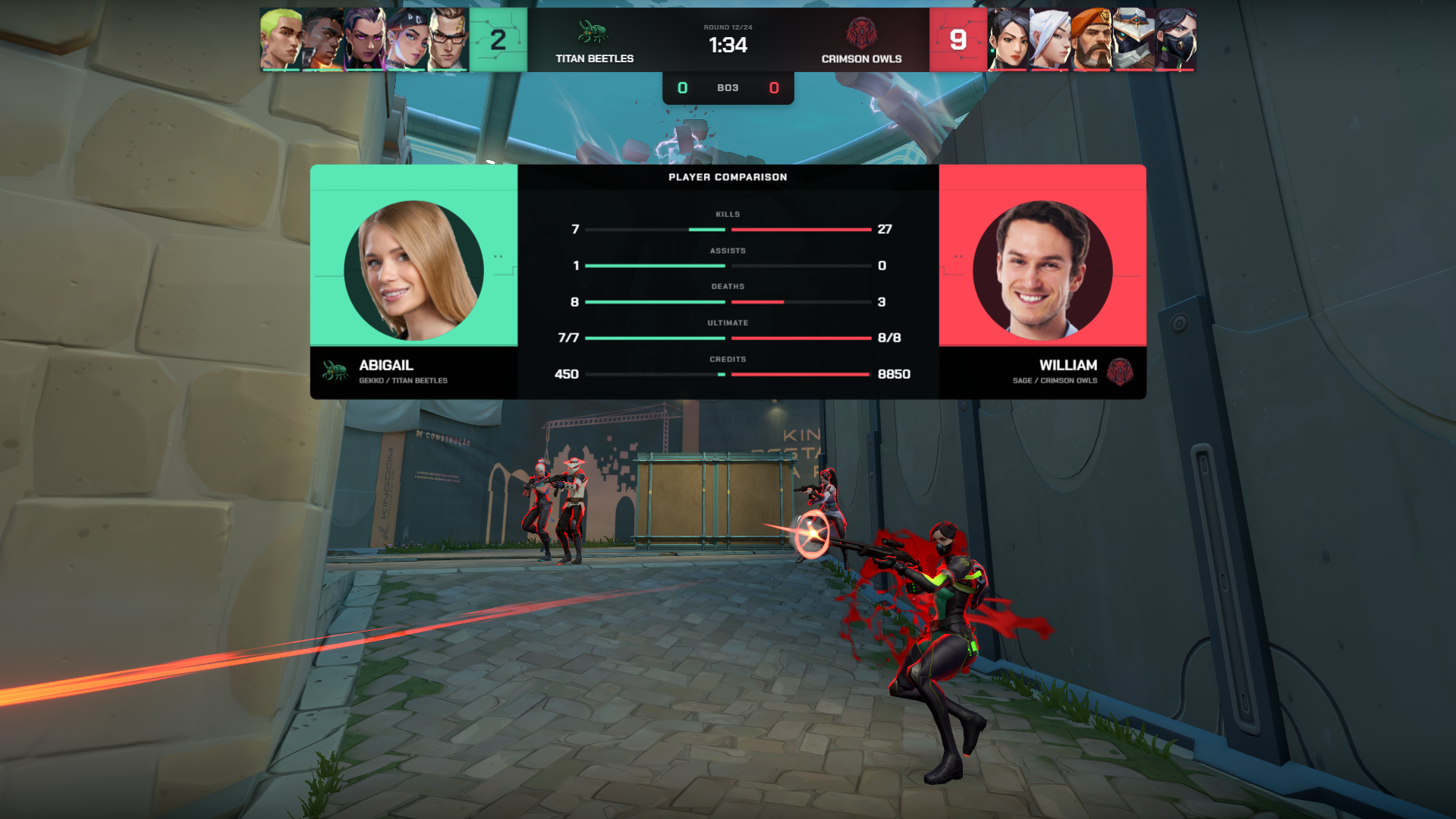
Extend the Ultra visual system into the wider production with Waiting Screen, Prematch, Tournament Bracket, Match Summary and Studio overlays.
Keep the game score, BO score, round timer, round history, teams and agents visible through a matchbar designed around the information viewers follow throughout a Valorant match.
Show player identity, agent, HP, credits, weapon, KDA, ultimate status and round kills in dedicated side panels that make the state of both teams easier to read.
Use an adjustable observed-player component with multiple variants to give the player currently in focus a dedicated layer of identity, statistics and match context.
Compare two competitors by kills, assists, deaths, ultimate status and credits through a dedicated player comparison view built for live analysis and storytelling.
Extend the Ultra visual system into the wider production with Waiting Screen, Prematch, Tournament Bracket, Match Summary and Studio overlays.
More built in
Ultra Valorant HUD organizes live game information into clear spectator graphics while adding dedicated views for analysis and the wider tournament production.
Keep game score, BO score, team names and logos, round timer, round indicator and round history at the top of the broadcast, with agent boxes and HP providing additional live context.
Follow both lineups through player names, avatars or agent icons, credits, weapons, KDA, HP, ultimate status and a round kill indicator displayed beside the gameplay.
Highlight the player currently being observed with a dedicated component showing player identity, avatar, ultimate status, KDA and AR information. Choose between multiple variants to fit the moment and available screen space. Connect player webcams with LHM Cameras.
Open a full match view with team names and logos, game score, match history, player identities, KDA, ultimate status, weapons and credits for both sides.
Present the Valorant veto through a dedicated broadcast screen that keeps the map selection process inside the same Ultra visual package.
Make the post-plant state immediately visible with a dedicated spike planted element integrated into the live HUD presentation.
Display dedicated round-end graphics when a round concludes. These indicators are triggered manually by the production team, giving operators direct control over their timing.
Put two players side by side and compare their kills, assists, deaths, ultimate status and credits during live coverage, analysis or key individual matchups.
Use the experimental Team Economy view to add another perspective on the resources available to each side. This feature is currently experimental and results may vary as it continues to evolve.
Review ultimate history for both teams through an additional analytical view. Ult History is currently experimental and results may vary as the feature continues to evolve.
Carry the Ultra Valorant package beyond live gameplay with dedicated Waiting Screen, Prematch, Tournament Bracket, Match Summary and Studio overlays for the wider event production.
Use the built-in color picker to adapt the HUD to different teams, tournaments and production identities, then keep reusable configurations available through LHM Cloud.
Connected LHM workflow
Store HUD configurations, teams, players, matches, tournaments and production settings in one cloud workflow that stays available across your production devices.
Learn moreSet the Ultra Valorant HUD colors and keep reusable visual configurations ready for future events through LHM Cloud.
Learn morePrepare teams, players, scores, best-of formats and tournament data in LHM so the same event information can be reused across connected broadcast graphics.
Learn moreConnect tournament structure and match results with production-ready bracket graphics that fit into the wider Ultra Valorant broadcast package.
Learn moreConnect supported Valorant game events with Bitfocus Companion actions for production cues, lighting and external broadcast workflows. Signals automation operates separately from the Ultra HUD's manually triggered round-end indicators.
Learn moreAdd player feeds through LHM Cameras and bring competitor reactions into supported Valorant production workflows alongside the live match presentation.
Learn moreValorant integration
Ultra Valorant HUD uses LHM's OCR-based Valorant integration to read supported information from the spectator interface and use it in broadcast graphics. For reliable data capture, you need to run Valorant at 1920x1080 in borderless windowed mode and keep the in-game scoreboard visible when LHM needs to read scoreboard information. LHM can simulate the Tab key pressing, so the scoreboard will be automatically visible all the time.
For productions that do not want the scoreboard displayed on the broadcast machine, we recommend the use of a second-PC data gathering workflow, with one computer reading the game interface and another running the HUD.
Available for Professional and Enterprise
Ultra Valorant HUD is available with the Professional plan and Enterprise plan starting from 3 seats. Register to start your setup or compare plans before choosing the right package for your production team.
Ultra Valorant HUD is an advanced spectator and observer HUD package for professional Valorant esports broadcasts. It combines live match graphics, detailed player information, analytical views and additional screens for prematch, tournament, post-match and studio production.
Ultra Valorant HUD can display the game and series score, round information, team branding, agents, HP, weapons, credits, KDA, ultimate status and other player information. It also includes a detailed scoreboard, observed-player views, player comparison, spike state, veto presentation and additional production overlays.
Premium Valorant HUD provides a streamlined ready-made spectator HUD with the core graphics needed for Valorant broadcasts. Ultra Valorant HUD expands the package with richer player and match presentation, observed-player variants, player comparison, veto and match-summary graphics, additional production screens and Ultra HUD Editor color customization.
Ultra Valorant HUD uses LHM's OCR-based Valorant integration, which reads supported information visible in the game interface and makes that data available to the broadcast graphics. Some production elements still use manual control, including the Ultra HUD round-end indicators.
Yes. Ultra HUD Editor includes a color picker for adapting the HUD's color presentation and saving reusable configurations in LHM Cloud. The Ultra HUD source code is not provided, so productions requiring a completely bespoke layout can use LHM's custom HUD development options.
Ultra Valorant HUD is available with the Professional plan and Enterprise plan starting from 3 seats. Compare the current LHM plans to choose the setup that fits the size and workflow of your production team.
Need help with the integration? Follow the Valorant configuration guide to prepare OCR data capture and configure Valorant for LHM.
Explore production-ready HUDs for every supported game.
Browse all HUDs & Overlays