
Remote esports production often breaks in small places: an old team logo, a wrong score in OBS, a missing sponsor asset, or a caster reading a different match order than the graphics operator.
Remote production can work well, but not when it depends on scattered files, manual score updates, unclear roles, and last-minute changes in one local OBS setup. A remote esports broadcast needs shared match data, tested HUDs, browser source overlays, cloud-stored assets, and a repeatable run of show.
LHM can help with this production layer. It gives teams one place to manage HUDs, overlays, players, teams, matches, tournaments, settings - all in the cloud, accessible on all LHM instances.
What is remote esports production?
Remote esports production is a broadcast setup where the people creating the show are not all in the same room. A producer, observer, graphics operator, caster, admin, and tournament manager can work from different cities, campuses, offices, or homes.
The challenge is not only streaming the game, but keeping match information, team assets, HUDs, overlays, audio, and role ownership aligned from pre-show to final results.
Why esports teams move away from studio-only workflows
A studio gives the team one shared room, one network, and direct control over hardware. That still matters for finals, arena events, and shows with venue cameras or stage screens.
Remote esports production helps organizers run online tournaments without moving every role into one physical setup. It can cut travel costs, help teams work with talent across regions, speed up online qualifiers, and fit weekly cups, university events, and online tournament weekends.
Remote work is not easier by default. It still needs stable connections, tested scenes, shared assets, backup graphics, and clear ownership for live changes.
What you need for a remote esports broadcast
Game and observer setup
Decide who runs the game client and who owns the observer view. The producer should know who owns the in-game camera, which machine runs the game, which match is set up, which HUD package is in use, and what happens if the observer disconnects.
LHM supports several games, including Counter-Strike 2, Dota 2, League of Legends, Valorant, Rocket League, PUBG Mobile and Apex Legends. For supported games, LHM can install needed configs in the background. If a game needs extra setup, the LHM User Guide, documentation, and video tutorials provide the necessary steps showcased in an easy way.
Broadcast software
OBS, vMix, or another production tool still handles scenes, sources, audio routing, recordings, stream settings, transitions, and final output.
For remote production, keep the scene set simple: match scene, caster or desk scene if used, countdown, intermission, sponsor screens, and fallback scene. Every extra scene adds another place where old logos or wrong match data can hide.
LHM overlays can work with OBS, vMix, and other production software through URL sources. OBS supports Browser Source, and vMix supports Web Browser inputs, so the production tool can display web-based graphics without rebuilding them inside every scene. Thanks to the cloud-based database, all information - graphics, logos, matches, etc. - is always displayed in the right places, and once it has been configured correctly, there’s no room for mistakes.
HUDs and overlays
Treat HUDs and overlays as a package: in-game spectator HUDs, observer overlays, countdown screens, draft or map veto screens, pre-match screens, post-match screens, match summaries, sponsor areas, and lower thirds.
LHM supports HUD and overlay management. Official LHM supports non-game overlays such as draft, map veto, countdowns, breaks, post-match stats, summaries, and trivia.
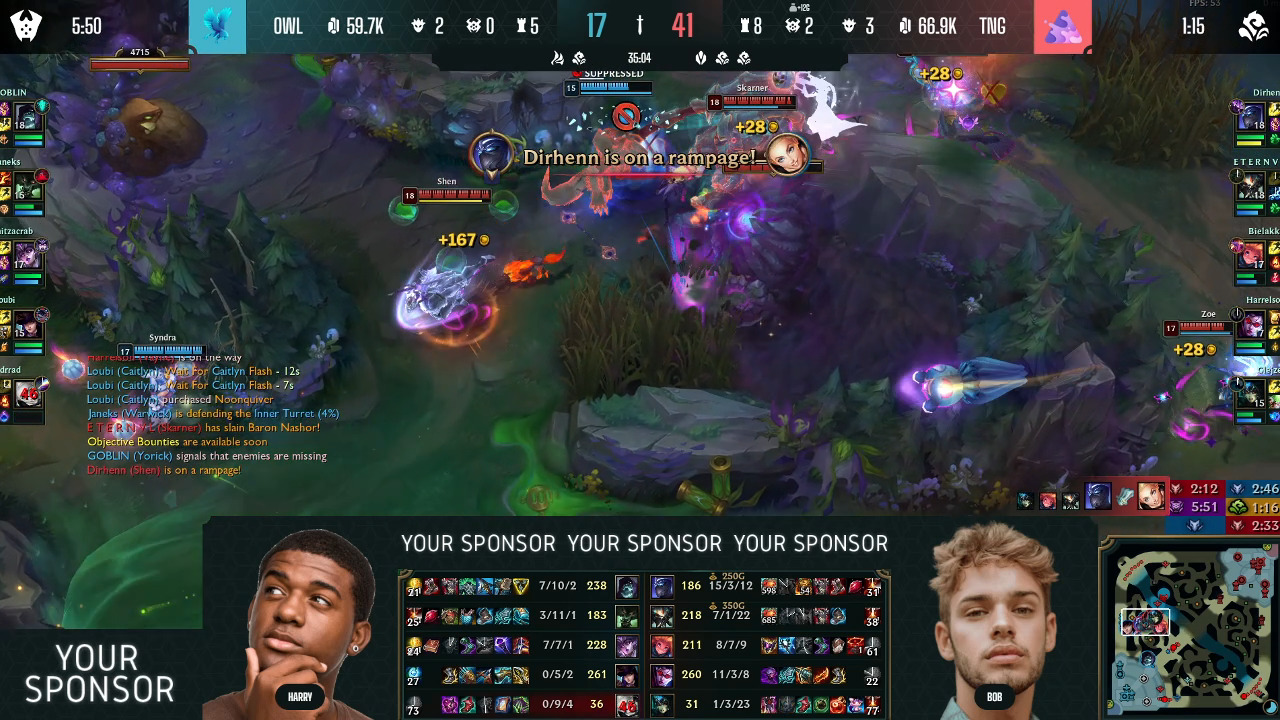
The remote production risk is local file handling. If one operator has the newest overlay and another has the old one, the team loses time. If team names are edited manually in several scenes, one typo can appear on stream. LHM streamlines it.
Match and tournament data
A remote esports production workflow needs one shared source of truth for tournament information.
That usually means teams, players, player names, logos, countries or flags when used, matches, scores, best-of setup, and brackets or groups when used.
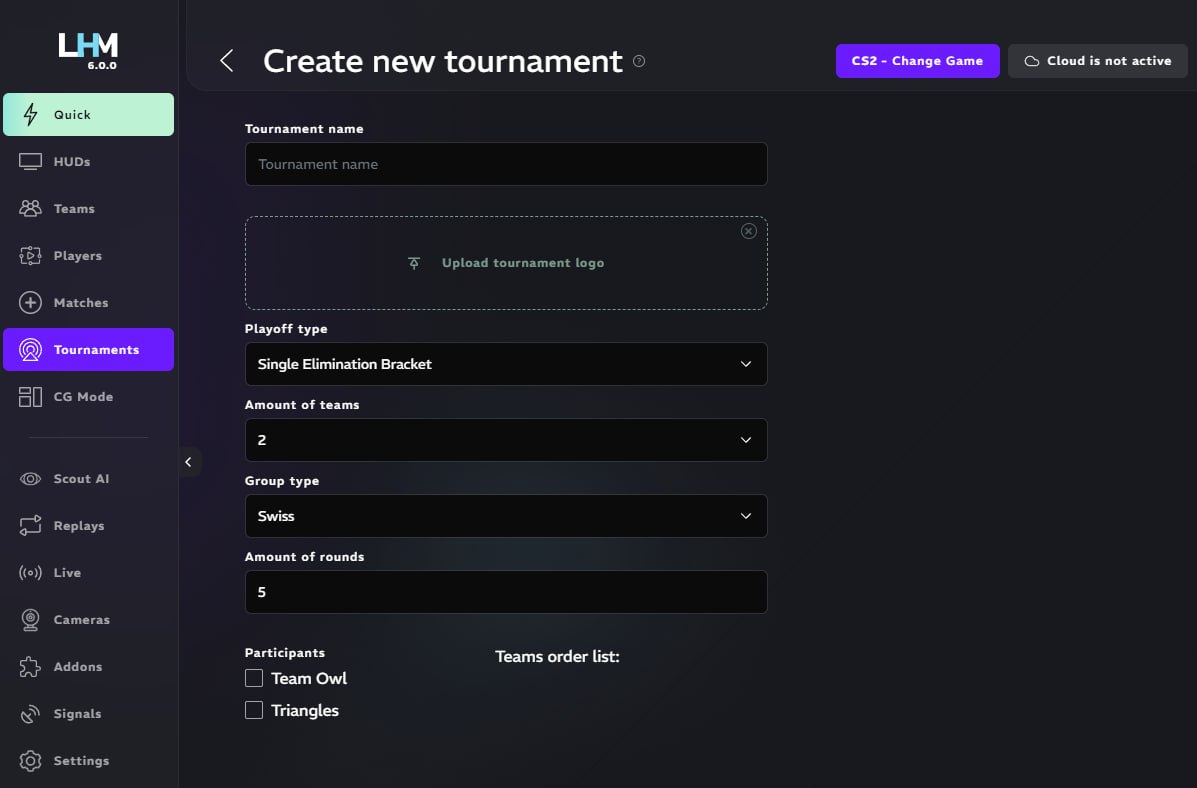
LHM has dedicated players, teams, matches, and tournaments features. LHM player entries can include first name, last name, nickname, country, team, and pictures. Team entries can include team name, short name, country, and logo. Match entries can include score management, best-of setup, date, and vetos.
Cloud storage and sync
Cloud storage matters because remote teams should not depend on one person's desktop.
LHM Cloud stores HUDs, overlays, players, teams, matches, tournaments, LHM Replays configuration, HUD configuration and a few app settings. Production staff can sync data between LHM instances when Cloud Storage is turned on.
For distributed teams, this helps reduce manual file transfers and repeated setup work. It does not remove the need to test the show. It gives the team a cleaner place to keep the broadcast layer and keep everything up-to-date with ease.
Team communication
Remote broadcast production still needs live comms, usually Discord, Slack, TeamSpeak, or another voice setup.
Decide who can approve live changes. Too many people editing overlays or scores during a match creates risk. Assign one owner for tournament and match-related data, one for OBS or vMix, and one for observer calls.
A remote esports production workflow, step by step
Before the event
Build the tournament structure first. Add teams, players, matches, match order, logos, sponsor assets, and any bracket details you need on stream.
Prepare the HUD and overlay package: in-game HUD, countdown, intermission, veto or draft screens, post-match screens, and fallback graphics.
Set up OBS or vMix. Add browser sources where needed. Test every scene with real team names and real logos, not placeholder data.
Assign ownership for match data, OBS or vMix, observing, score updates, team communication, and sponsor or layout approvals. Then run one dry run that covers pre-show, game start, score update, break, next match, post-match, and stream end.
On match day
Start with a data check: match, teams, player names, logos, best-of format, and schedule.
The observer loads the correct game and HUD setup. The producer loads the scene collection and verifies browser sources. The graphics operator confirms overlays and sponsor screens.
During the match, keep changes controlled. The observer owns the in-game view and the producer owns the live output.
Between matches
Between matches, update the next match data before switching the show forward.
Check teams, side assignments where relevant, player names, logos, score state, veto or draft screen, sponsor rotation, audio levels, and stream preview.
Remote shows often fail here because everyone talks at once and the next match starts before overlay data is ready. Use a short checklist every time.
After the event
After the stream ends, clean the setup while the mistakes are still fresh.
Save reusable HUD and overlay setups. Review errors. Rename assets. Remove test files. Update templates. Keep notes for the next tournament.
If you use LHM Cloud, keep reusable production data, HUDs, overlays, teams, matches, tournaments, and settings ready for future events instead of rebuilding from local folders.
Where LHM fits into remote esports production
LHM is not the whole remote broadcast stack. It is a production support layer for the data and visual parts of the show.
OBS or vMix still handles the final stream output. Voice tools still handle comms. Humans still cast, produce, test, and make live calls. LHM helps teams manage the esports-specific parts that often become messy in remote workflows.
What LHM can help you manage
LHM can help with:
- HUD and overlay management for supported games.
- Non-game overlays such as draft, map veto, countdowns, breaks, summaries, post-match stats, and trivia.
- Players, teams, matches, and tournament setup.
- Team logos, player data, scores, best-of setup, dates, and vetos.
- Browser source URLs for HUD variants and overlay use.
- Cloud storage and sync for HUDs, overlays, tournament data, settings, and configurations.
- Remote production workflows, provided the team has the right plan, access setup, and operational process.
- Additional advanced features depending on game, like AI spectator, automatic replays, game event tracking system to trigger additional things
- CS2, Dota 2, League of Legends, Valorant, Rocket League, PUBG Mobile, Apex Legends workflows.
The main benefit is fewer repeated updates across local files, scenes, and spreadsheets. If the tournament data and visual assets are prepared in LHM, the production team has a cleaner place to manage what appears on stream, wherever they are.
Plan limits still matter. Check Pricing before planning multiple devices, separate databases for different operations, paid HUDs like Ultra HUD or Premium HUD, LHM Replays, team access or other additional features.
What LHM does not replace
LHM does not replace a stable internet connection, OBS, vMix, voice communication, a producer, an observer (although Scout AI for CS2 can automate most cases), casters, tournament admins, a run of show, a dry run, or a backup plan.
Do not treat remote esports production as a one-click setup. Treat it as a broadcast workflow that becomes easier when match data, HUDs, overlays, and assets are managed from the right place.
Example workflow: running an online tournament weekend
Imagine a CS2 weekend cup produced by a remote team.
On Friday, the tournament manager prepares teams, players, match entries, logos, sponsor assets, HUDs, overlays, and show screens. The producer checks OBS or vMix scenes and confirms the browser sources needed for overlays.
On Saturday morning, the producer, observer, caster, graphics operator, and admin join comms from different locations. The admin confirms the first match, the observer loads the right game setup, and the graphics operator verifies team names, logos, and match information.
During matches, the broadcast uses the prepared team and match data. Between matches, the team switches to the next match screen, confirms team assets, checks the veto screen if used, and verifies audio before going back live.
After the event, reusable configurations, HUDs, overlays, and tournament data can remain available in LHM Cloud when Cloud Sync is used. The team reviews mistakes and prepares a cleaner setup for the next cup.
When remote production is the right choice
Remote esports production fits online qualifiers, university esports, community tournaments, regional leagues, weekly cups, multi-stream events, and shows where production talent is spread across cities or countries.
A studio or LAN setup may still be better for major finals, arena shows, complex stage production, on-site interviews, player cameras tied to venue hardware, venue screens, or sponsor activations that require physical production.
Remote production works best when the match is online, the roles are clear, and the broadcast layer can be prepared before the first game starts.
Build a cleaner esports broadcast workflow with LHM
Remote esports production works when the workflow is centralized and tested. The hard part is keeping people, assets, match data, HUDs, and overlays aligned under live pressure.
LHM can help teams manage the production layer more cleanly by centralizing HUDs, overlays, players, teams, matches, tournaments, settings, and cloud sync where those features fit the event.
If your team is still managing esports broadcast assets through folders, spreadsheets, Discord messages, and last-minute OBS edits, start by moving the repeatable parts into one place.