
LHM 7 is now available, introducing a refreshed application interface, LHM Studio, reworked Stream Deck integration, Replay Feed clip saving, improved observing tools, the new Emerald CS2 HUD, and a broad set of workflow improvements and fixes.
The biggest expansion in this release is LHM Studio. It takes LHM beyond the in-game esports HUD and into the wider world of live production. It can support an esports desk or post-match interview, but it can also be used for a podcast, panel, webinar, talk show, or another broadcast that has nothing to do with gaming.
LHM 7 also strengthens the product’s esports foundation with Scout Vision one-side spectating, further Scout AI accuracy adjustments, new CS2 information, and improved League of Legends Ultra HUD performance.
A refreshed interface for day-to-day production
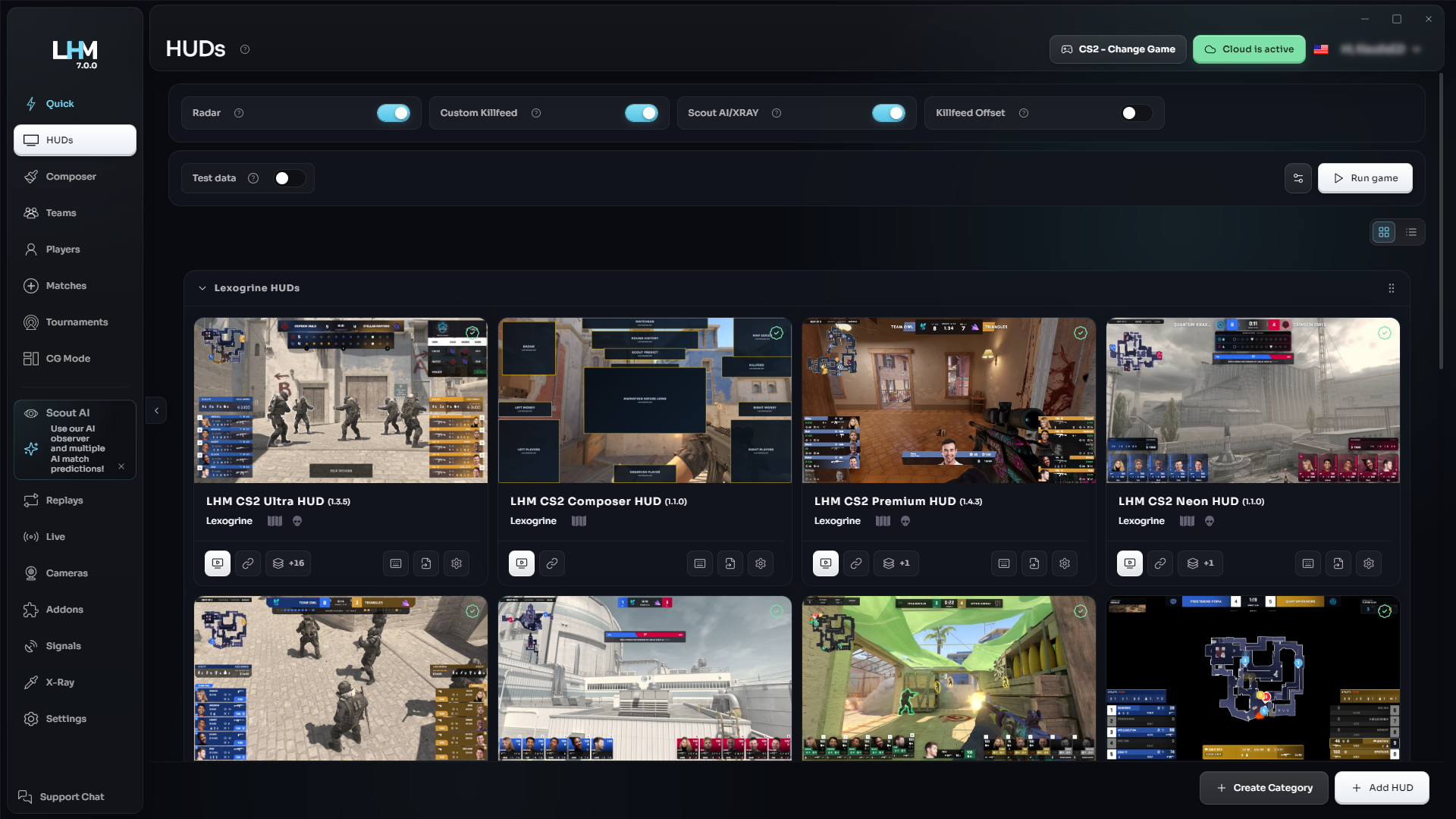
LHM 7 refreshes the application interface and introduces multiple quality-of-life improvements across the platform.
The updated structure provides clearer access to HUDs, teams, players, matches, tournaments, Scout tools, replays, cameras, signals, settings, and other production areas. HUD libraries can be displayed in list or grid form, while configuration and management screens follow a more consistent visual system.
This release represents an important step in modernizing the LHM experience. We also plan to continue refining the interface with further updates as we collect feedback and expand the platform.
Introducing LHM Studio - for esports and beyond
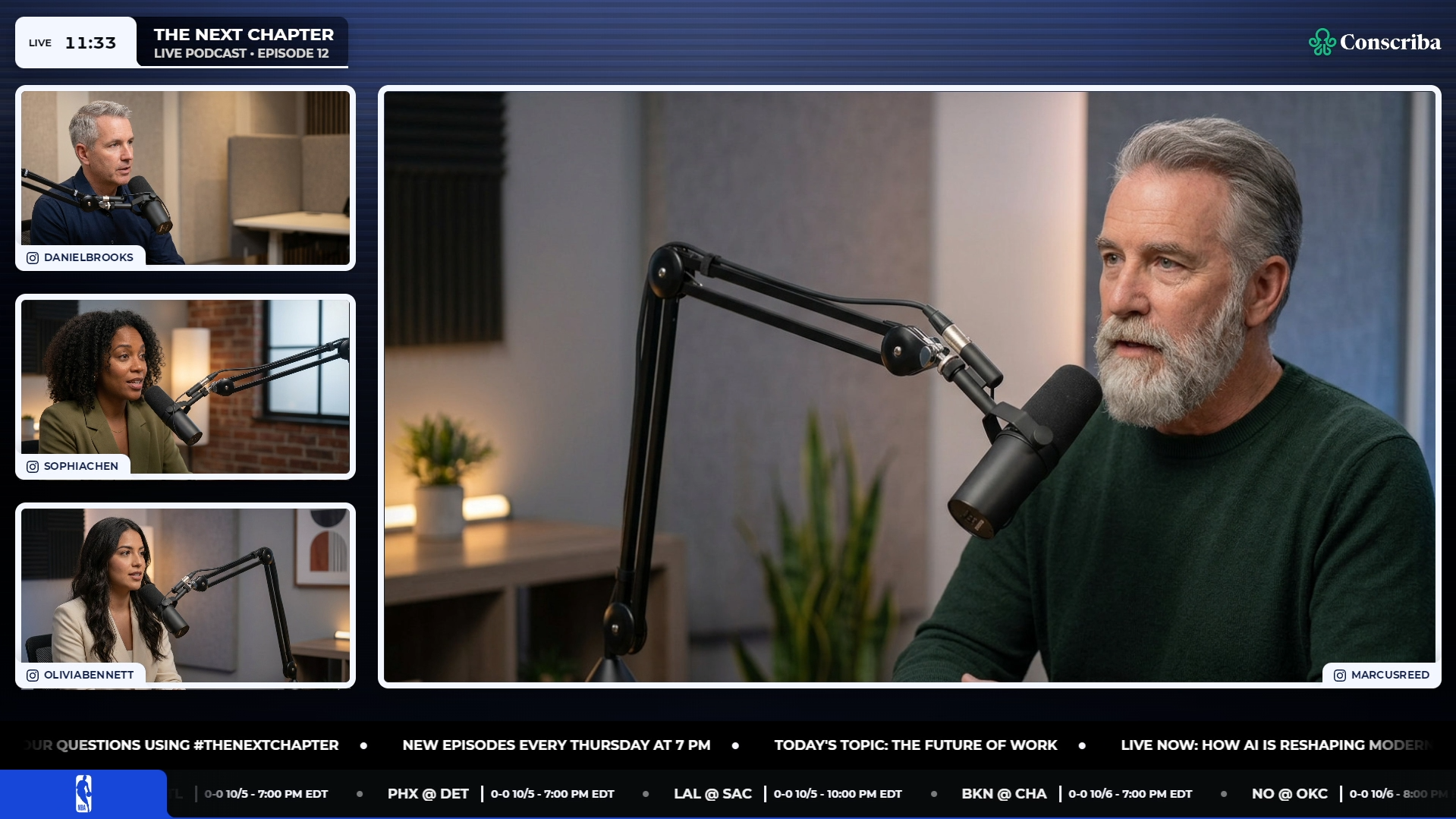
The in-game HUD is only one part of a live production.
Esports broadcasts also include analyst desks, pre-match shows, post-match interviews, panels, sponsor segments, waiting screens, and breaks. Outside esports, many of the same production needs appear in podcasts, webinars, interviews, talk shows, online events, and other live formats.
LHM Studio is designed for all of them.
Available on every paid plan, LHM Studio includes a dedicated broadcast overlay and ready-to-use scene collections for OBS and vMix. These collections provide a practical starting point for bringing graphics into an existing production environment.
For an esports show, LHM Studio can provide the visual layer around the match. For a non-gaming production, it can become the core graphics package for the entire broadcast.
This means LHM is no longer limited to presenting what happens inside a game. It can also help build the show around the content - regardless of whether that content is an esports match, an interview, a discussion, a webinar, or a live event.
Reworked Stream Deck integration
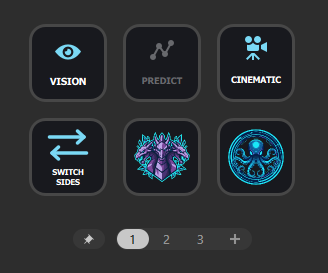
LHM 7 reworks how the application integrates with Stream Deck.
The previous built-in integration connected directly to the device and generated a fixed control layout. The new integration works through a plugin available from Elgato Marketplace, bringing LHM controls into the native Stream Deck ecosystem.
The plugin offers 24 configurable actions. Operators can create their own profiles, arrange actions around the way they run a show, and configure keys individually instead of relying on one predefined layout.
Supported keys can display automatically updated information such as scores, timers, team logos, match phases, maps, players alive, bomb status, and data health. Game-specific information includes Dota 2 Roshan and net worth data, VALORANT economy and ultimate status, and League of Legends respawn timers.
The reworked Stream Deck integration is available on all LHM plans.
Download the plugin from Elgato Marketplace.
Save Clips directly from Replay Feed
LHM Replay Feed now includes Save Clips.
Selected clips can be saved as .mp4 files, giving operators a direct way to preserve replay moments for use outside the live feed. The folder containing saved clips is accessible from the LHM Replays tab.
This adds a practical output step to the replay workflow: find the moment in Replay Feed, save it, and access the resulting video file from the same area of LHM.
Scout Vision One-Side Spectating
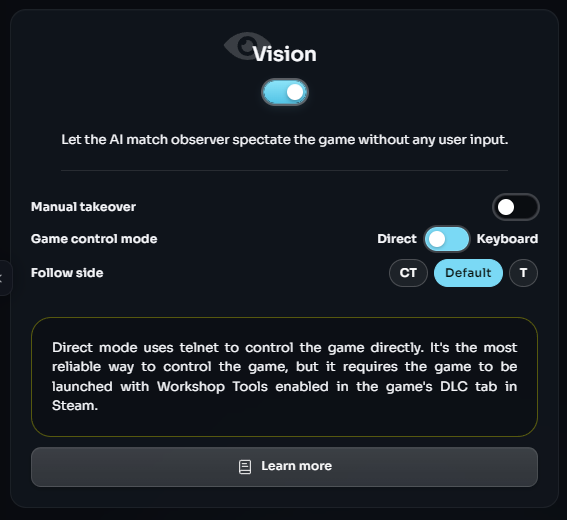
Scout Vision now supports one-side spectating.
This option allows a production to keep its spectating focused on one side, adding flexibility for broadcasts built around a particular team or perspective.
We also fixed an issue where Scout Vision would sometimes fail to take over after Scout Cinematic was turned off. This makes the transition between the two observing modes more dependable.
More accurate Scout AI Observing and Prediction
LHM 7 introduces another batch of Scout AI adjustments focused on observing and prediction accuracy.
The work improves how Scout AI evaluates what is happening and predicts where the relevant action is likely to develop. This is part of the continued refinement of AI-assisted observing inside LHM.
Together with one-side spectating in Scout Vision and the Scout Cinematic transition fix, these changes provide more control and a stronger foundation for automated observing workflows.
Emerald: a new CS2 HUD
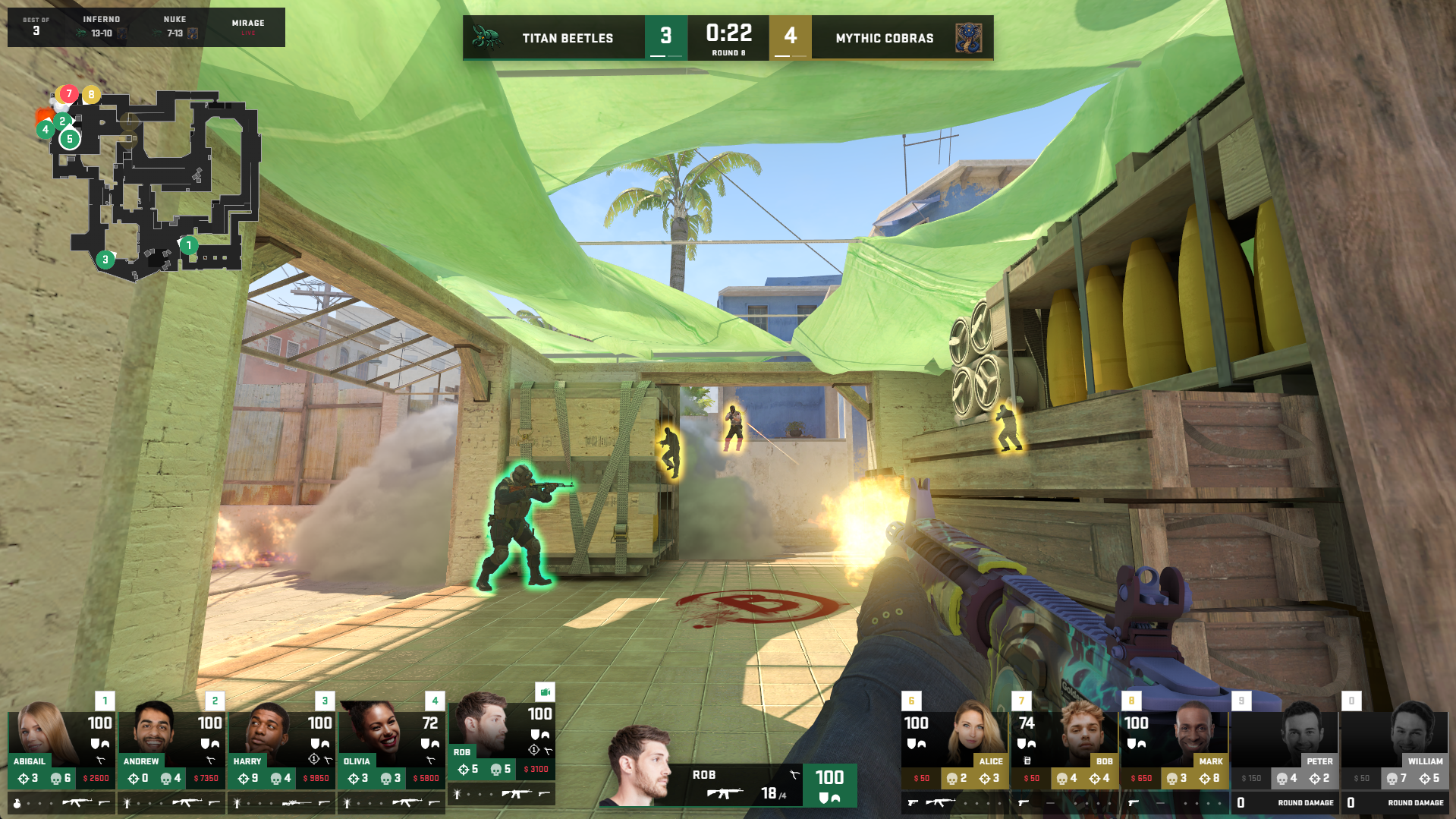
LHM 7 adds Emerald, a new ready-to-use HUD for Counter-Strike 2.
Emerald expands the available CS2 visual lineup and gives creators and production teams another option when choosing a HUD for a tournament, stream, or branded broadcast.
The Emerald HUD is available with the Personal plan and above.
More match information across CS2 HUDs
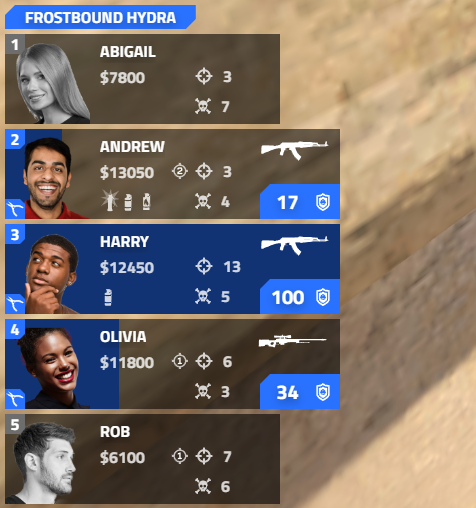
Per-round kill information is now displayed for every player across all Lexogrine CS2 HUDs except Default HUD.
This gives observers and viewers additional context about each player’s contribution during the current round without requiring that information to be reconstructed from the killfeed.
LHM 7 also fixes the issue that caused the radar in Ultra CS2 HUD to appear too small. The radar now displays at its intended size, improving the visibility of map information in the Ultra layout.
Improving Ultra LoL HUD performance
League of Legends productions are information-heavy and operationally demanding. The HUD must handle the live match presentation while keeping champion, player, team, objective, and series information available throughout the broadcast.
LHM 7 improves the performance of Ultra LoL HUD.
This is not simply a visual addition. Performance is fundamental to how confidently a HUD can be used during long matches, multi-game series, and full tournament days. The update strengthens the technical foundation of the Ultra package and supports a more consistent production workflow.
Our ambition is to make Ultra LoL HUD the best possible choice for professional League of Legends broadcasts. Continuing to improve its performance is an essential part of that work, alongside the package’s production screens, match presentation, and broader broadcast capabilities.
More ways to Sign In
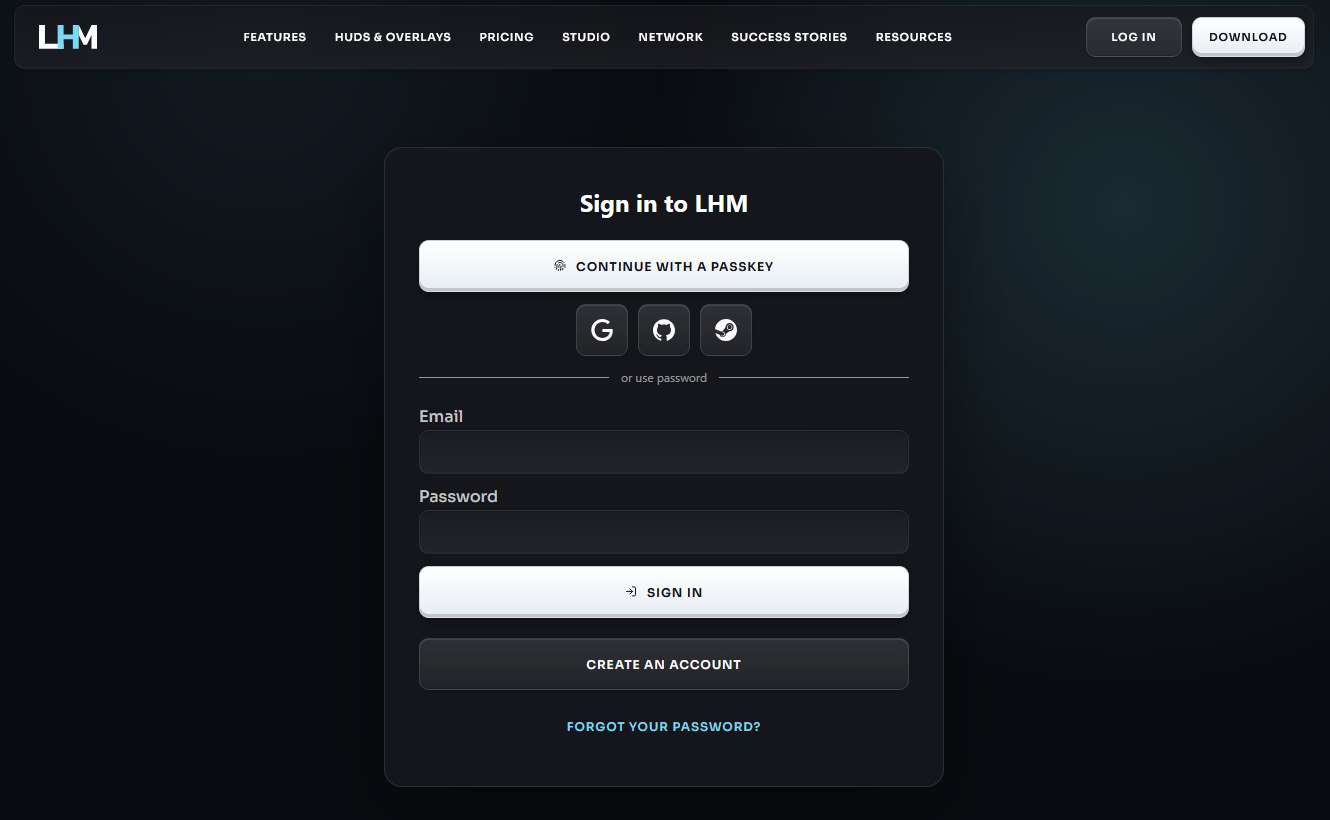
LHM 7 adds support for signing in with:
- GitHub
- Steam
- passkeys
These options provide more flexibility when accessing an LHM account and allow users to choose the authentication method that best fits their existing setup.
Network discovery, Veto editing, and other fixes
LHM now prefers local network addresses when discovering machine IP addresses. This improves how the application identifies the appropriate address within local production environments.
The release also fixes a rare issue that prevented veto editing and updates translations across the application.
Alongside the refreshed interface and other quality-of-life work, these changes address smaller points of friction that can affect preparation and live operation.
A refreshed website and more purchase options
The LHM website has also been updated with a new interface and product structure.
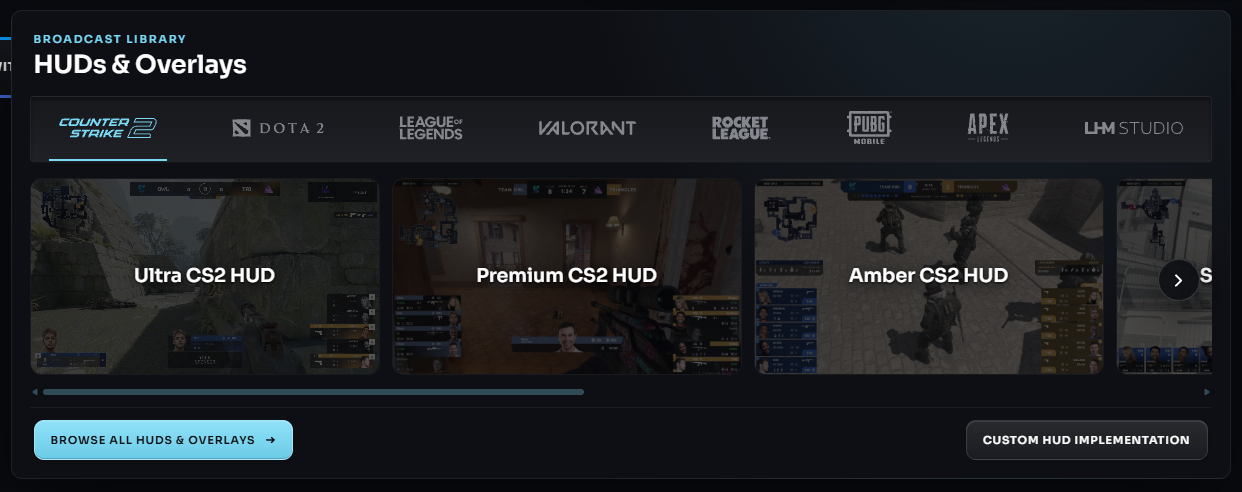
The searchable HUDs & Overlays catalog makes it easier to explore broadcast packages by game and compare what is available with different plans or current account access. Individual HUD pages have been redesigned, and a dedicated LHM Studio page explains how the new system can support esports and non-esports productions.
LHM checkout for private purchases has also moved from Lemon Squeezy to Stripe. The new checkout supports USD and PLN, enables purchases by individual customers outside the European Union, and makes the Enterprise plan available for individual orders, including orders from outside the EU.
Check our new HUDs & Overlays page to discover all available options.
From Esports HUDs to Complete Live Shows
LHM 7 expands the product while reinforcing the workflows at its core.
LHM Studio opens LHM to many more types of live content. The reworked Stream Deck plugin and Replay Feed clip saving give operators more control over how content is managed. Scout Vision and Scout AI updates strengthen observing, while CS2 and League of Legends improvements continue to develop LHM’s game-specific production packages.
Whether you are producing an esports tournament, a studio desk, a podcast, an interview, a webinar, or another live format, LHM 7 provides more of the tools needed to build and operate the complete show.
Full changelog:
- Refreshed the app interface and added multiple quality-of-life improvements and fixes.
- Added LHM Studio with a dedicated overlay and ready-to-use OBS and vMix scene collections. Available on all paid plans.
- Added Emerald, a new CS2 HUD. Available with the Personal plan and above.
- Reworked the Stream Deck integration. LHM controls are now available through a plugin downloadable from Elgato Marketplace on all plans.
- Added sign-in with Google, GitHub, Steam, and passkeys.
- Added Save Clips to LHM Replay Feed. Clips are saved as .mp4 files in a folder accessible from the LHM Replays tab.
- Added one-side spectating to Scout Vision.
- Introduced another batch of adjustments for Scout AI to observe and predict even more accurately.
- Added per-round kill information for each player to all Lexogrine CS2 HUDs (except the Default HUD).
- LHM now prefers local network addresses when discovering machine IP addresses.
- Fixed an issue where Scout Vision would sometimes not take over after Scout Cinematic was turned off.
- Fixed a rare issue that prevented veto editing.
- Fixed the small radar in the Ultra CS2 HUD.
- Improved League of Legends Ultra HUD performance.
- Updated translations.