
LHM 7.1 is now available.
The release introduces the new Ultra Valorant HUD, expands customization across LHM's ready-to-use HUDs, adds new tournament branding areas, brings Scout Predict to version 1.0, and continues improving Scout AI.
Production teams also receive faster camera setup, new Camera API controls, reorganized HUD settings, and several fixes following the major LHM 7.0 interface redesign.
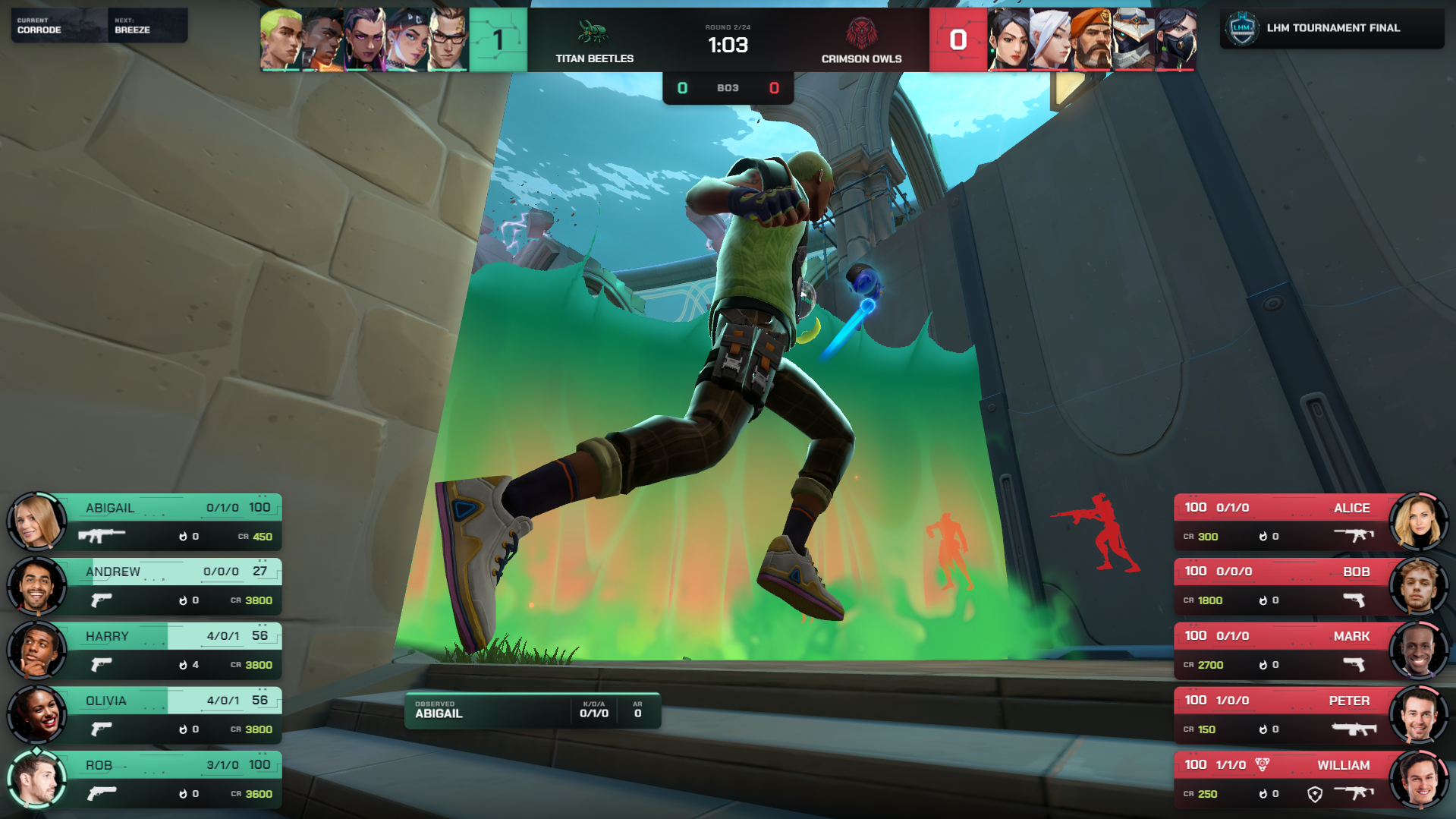
Introducing Ultra Valorant HUD
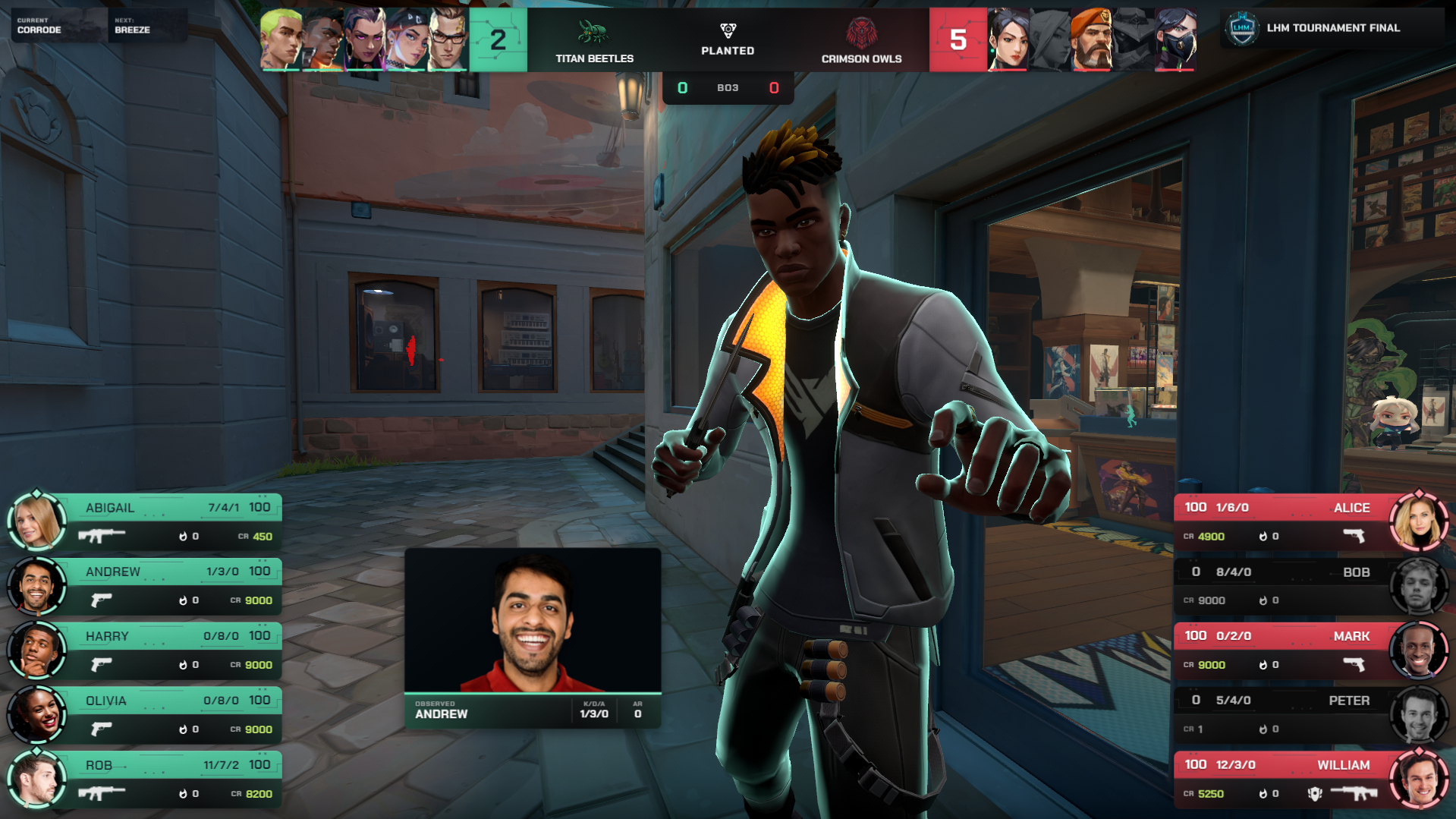
VALORANT now joins Counter-Strike 2, Dota 2, and League of Legends in the LHM Ultra HUD lineup.
Ultra Valorant HUD is built as a complete tournament broadcast package rather than a single live-match graphic.
The package includes the core live match presentation together with additional views for different stages of a production, including veto, scoreboard, pre-match, waiting, bracket, match summary, player comparison, and other broadcast states.
This gives VALORANT productions a shared visual system that can remain consistent from preparation and map selection through the live match and into post-match presentation.
Ultra Valorant HUD is available on the Professional plan and Enterprise plans with at least 3 seats.
More customization across LHM HUDs
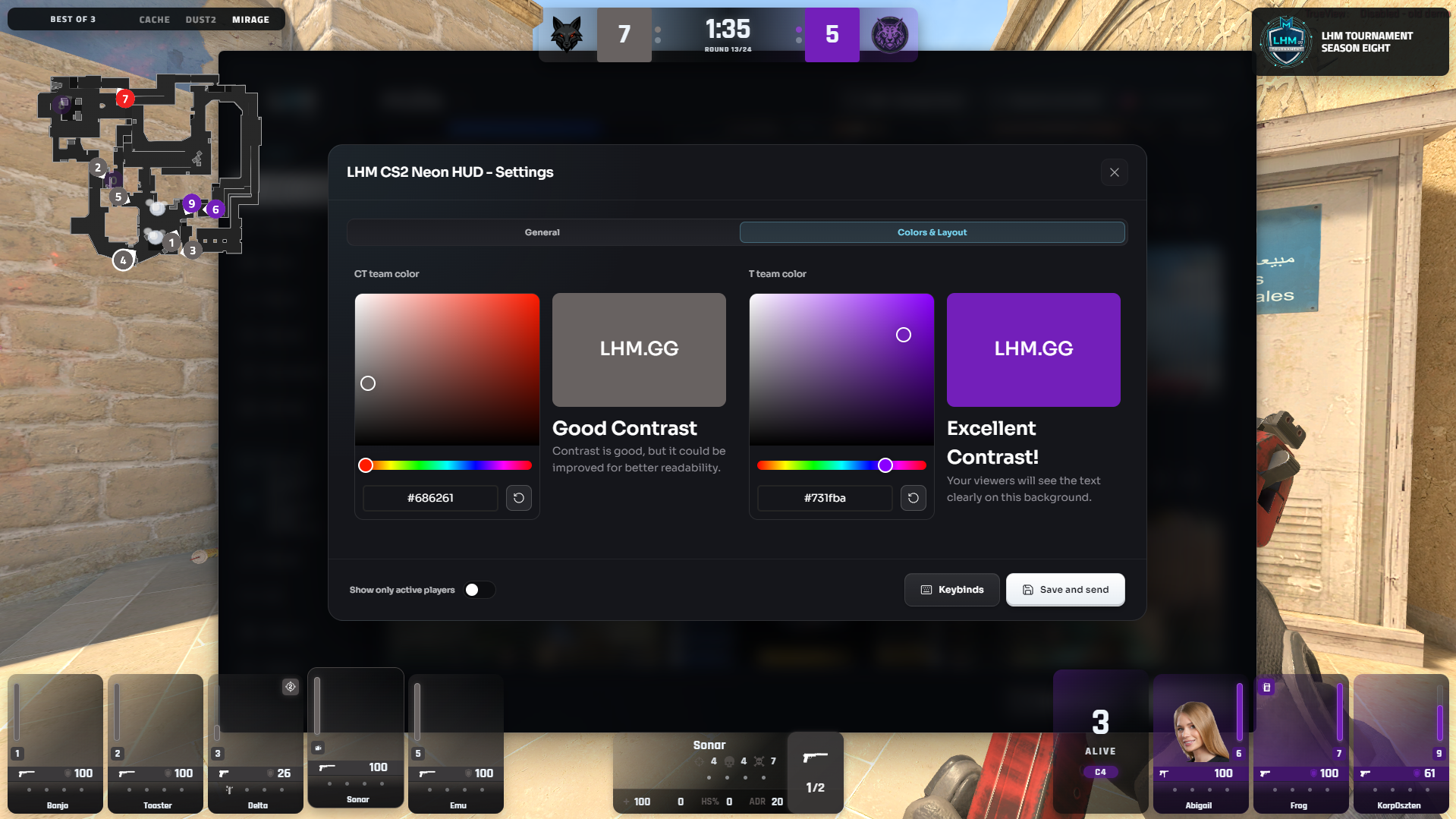
Productions using LHM's ready-to-use HUDs now have significantly more control over their colors.
Professional and Enterprise subscribers starting from one seat can freely configure both side colors across:
- Premium CS2
- Premium Dota 2
- Premium League of Legends
- Premium Valorant
- Premium Rocket League
- Neon
- Amber
- Sapphire
- Emerald
Previously, these HUDs relied primarily on predefined color combinations.
The new color picker makes them much easier to adapt to the identity of a tournament, team, collegiate program, sponsor activation, branded showmatch, or other production without requiring a custom HUD package.
This expanded customization is available permanently from LHM 7.1 onward.
Tournament information inside more HUDs
LHM 7.1 also expands the branding options available directly within the match presentation.
Dedicated tournament information areas have been added to:
- Premium CS2
- Neon
- Amber
- Sapphire
- Emerald
Tournament organizers and production teams can use these areas to provide greater visibility for event identity while keeping the presentation integrated with the rest of the HUD.
Combined with the new color controls, the update provides substantially more flexibility for adapting existing LHM HUDs to a specific production.
Scout Predict reaches version 1.0
Scout Predict has reached an important milestone in LHM 7.1.
The system is now officially at version 1.0, and the beta status has been removed from its HUD component.
Scout Predict analyzes the match to anticipate where relevant action is likely to develop and provides another layer of assistance for automated and AI-supported observing workflows.
Both Scout Predict and Scout AI Vision receive new models with additional improvements in LHM 7.1 as we continue refining their behavior and accuracy.
Automated observing remains an active area of development inside LHM, with further improvements planned as the Scout systems continue learning from increasingly varied production scenarios.
Faster Camera setup
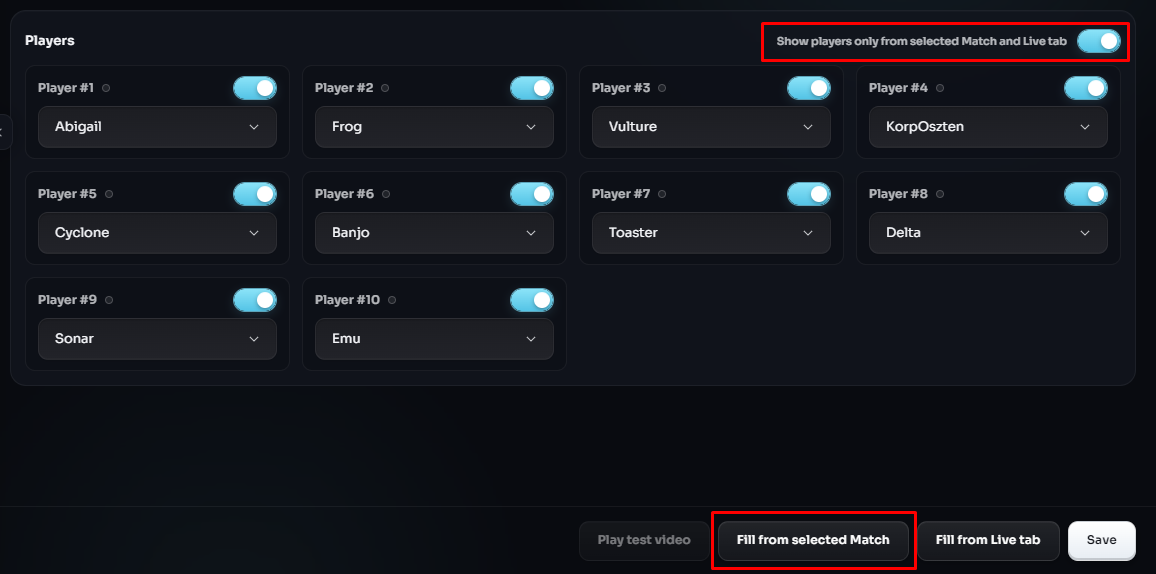
Camera configuration is also easier in LHM 7.1.
A new Fill from selected match button has been added to Cameras.
Instead of manually reproducing the relevant configuration, operators can populate the Camera setup using information from the selected match (set to “Live).
It is a small addition designed to remove another repetitive step from tournament preparation.
Camera bindings through the LHM API
For productions building more advanced integrations, camera bindings can now also be controlled programmatically.
LHM 7.1 adds:
typescriptGET /api/camera/bindingstypescriptPOST /api/camera/bindingsThese endpoints allow external tools and automation systems to read and modify camera binding settings.
The addition continues our broader work on making LHM easier to connect with custom production environments, control systems, and automation workflows.
Clearer HUD Settings
HUD Settings have been reorganized across most LHM HUDs.
As the number of configuration options has grown, keeping those controls easy to navigate has become increasingly important.
LHM 7.1 restructures these settings to make individual options easier to locate and understand during both initial setup and day-to-day production work.
This continues the interface work introduced with the LHM 7 redesign.
CS2 Killfeed and Veto fixes
LHM 7.1 resolves an issue where the attacking player could sometimes be missing from the Counter-Strike 2 killfeed.
We have also fixed a case where the map list in the veto workflow would occasionally fail to load.
Both fixes address situations that could directly interrupt tournament preparation or live match presentation.
Continued refinement after LHM 7
LHM 7.0 introduced one of the largest interface updates in the application's history.
With 7.1, we are continuing to refine that new foundation.
Alongside reorganized HUD Settings, the release contains minor fixes and adjustments throughout the application based on the first production use of the redesigned interface.
This work will continue in future releases as we further streamline frequently used production workflows.
More production options for VALORANT and beyond
Ultra Valorant HUD is the centerpiece of LHM 7.1, giving VALORANT tournaments access to the same broader Ultra philosophy already used across other major esports titles.
At the same time, the release improves tools used across games.
More flexible colors and tournament areas give productions greater control over their visual identity. Scout Predict 1.0 marks another step in AI-assisted observing. Camera improvements and new API controls reduce manual work and expand automation possibilities.
Together, these changes continue developing LHM as a shared production environment for operating esports broadcasts from preparation through the live show.
Download LHM 7.1
Full LHM 7.1 Changelog
- Added Valorant Ultra HUD to Professional and Enterprise plans (Enterprise requires 3+ seats).
- Added a custom color picker for both side colors on Premium (all supported games), Neon, Amber, Sapphire, and Emerald HUDs (available for Professional and Enterprise plans, 1+ seats).
- Added tournament info areas to the following HUDs: Premium (CS2), Neon, Amber, Sapphire, Emerald.
- Introduced some improvements for both Scout AI Vision and Scout Predict.
- Scout Predict is now at version 1.0. Removed "beta" status from its HUD component.
- Fixed the CS2 missing attacker on the killfeed.
- Fixed a case when the veto map list was not loading in some circumstances.
- Added "Fill from selected match" button to Cameras.
- Added /api/camera/bindings GET and POST endpoints to control the camera settings.
- Applied minor bug fixes to the whole LHM app following the 7.0 redesign.
- HUD Settings have been reorganized for better readability and navigation in most LHM HUDs.