
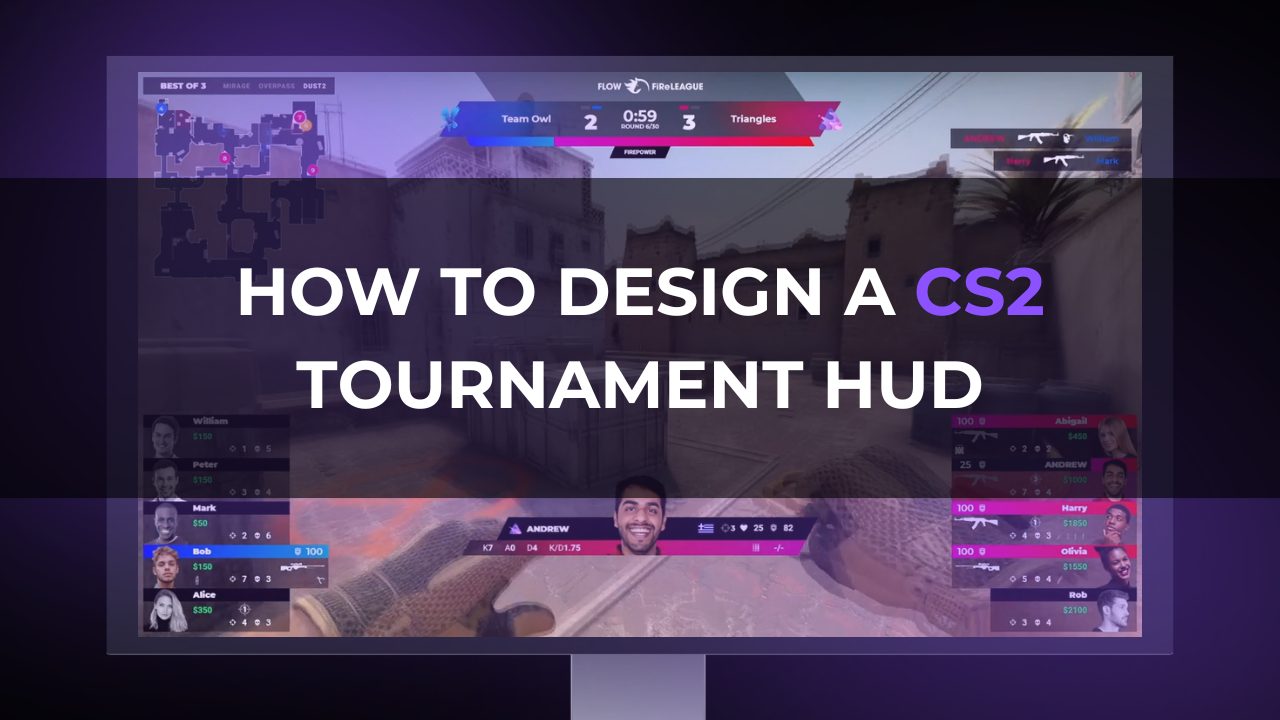
How to Design a CS2 Tournament HUD
In a CS2 broadcast, viewers are constantly reading the screen. They are checking the score, the round timer, who is alive, who has the bomb, whether the CTs have kits, how much utility is left, and whether the buy makes sense for the round. A good HUD helps them do that without pulling attention away from the fight.
That is why a CS2 tournament HUD is one of the most important parts of the broadcast package. It is not decoration around the gameplay. It is the layer that explains the match while the observer, casters, analysts, and production team are building the story.
A strong Counter-Strike 2 HUD gives viewers the information they need at the exact moment they need it. A weak one makes the match harder to watch, even if the visual design looks good in a still image.
What a CS2 Tournament HUD Actually Does
A tournament HUD turns live match information into readable broadcast graphics. It should answer the basic questions viewers have during every round:
Who is winning? How much time is left? Who is alive? What weapons and utility are still available? Is the bomb planted, dropped, or still in play? Can this team afford another buy if they lose?
That information supports the broadcast in several ways:
- The HUD shows the current round state. CS2 changes quickly: freeze time, early-round defaults, utility exchanges, executes, retakes, saves, clutches, and post-round transitions all need different information priorities. The HUD should make those transitions clear without forcing the caster to explain every detail.
- It helps viewers follow the economy. Counter-Strike is built around resource management. A round with five rifles and full utility tells a very different story than a force buy with pistols, light armor, and two saved rifles. The HUD should make that difference visible before the round begins.
- It displays player status. Health, armor, weapons, utility, money, and alive/dead state are not minor details. They explain why a player takes a duel, avoids a fight, saves a weapon, or delays a retake.
- The HUD supports storytelling. A 1v3 is easier to understand when the viewer can instantly read the clutch player’s health, weapon, utility, bomb position, and opponents left alive. A late-round execute is clearer when the HUD shows the remaining smokes, flashes, and incendiaries. A comeback is easier to follow when round history and economy context are visible.
- Finally, a tournament HUD gives the event a consistent visual identity. Team names, logos, event branding, sponsor placements, match format, and map information should feel like part of the same production package rather than separate graphics added at different times.
Core Elements of a CS2 Tournament HUD
A CS2 HUD design should begin with the information that viewers need most often, not with the visual style. The exact layout can vary, but most tournament HUDs need the following elements.
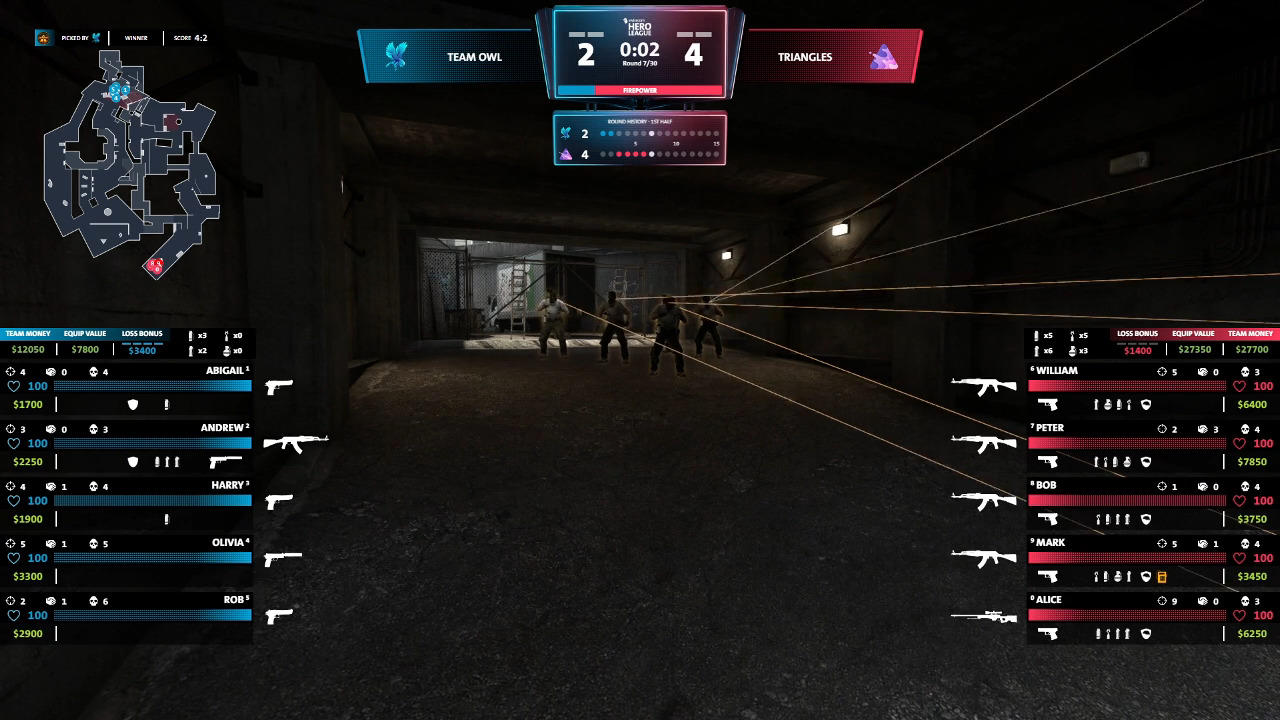
Team Names, Logos, and Score
The score is the anchor of the broadcast. Viewers should be able to glance at the top of the screen and understand the current round score immediately. Team logos and short names help with recognition, especially in international events where not every viewer knows every roster.
For series play, the HUD should also account for map score or series score. In a best-of-three, the viewer should know whether this is map one, a decider, or a potential closing map. This can be subtle, but it should be available.
Side identity also matters. CT and T sides should be visually distinct, but the design should not rely only on color. Icons, labels, layout position, or side indicators help viewers who are watching on smaller screens or with reduced color clarity.
Round Timer and Bomb Status
The round timer is one of the most important elements in CS2. It tells viewers whether a team has time to reset, rotate, fake, save, or commit. It should be placed where viewers naturally look and should remain readable during busy rounds.

Bomb status needs similar clarity. Viewers should know whether the bomb is carried, dropped, planted, or being defused. If the production uses a planted-bomb indicator or countdown-style visual, it must be tested carefully and match the event’s rules, tooling, and observer setup. A confusing bomb display is worse than no custom bomb display at all.
Player Names and Aliases
Player names should be consistent across the HUD, lower thirds, replay graphics, analyst segments, and social assets. Decide early whether the broadcast will use full aliases, shortened aliases, real names in lower thirds, or team tag formats.
In CS2, player recognition matters because many storylines happen around roles: entry players, anchors, AWPers, lurkers, clutch players, and in-game leaders. If the HUD cuts names too aggressively or displays inconsistent nicknames, viewers lose that connection.
Health, Armor, Weapons, Utility, and Money
The player side panels are where many viewers read the round. They should show enough detail to explain the situation without becoming a wall of icons.
Health must be instantly readable. Armor and helmet status should be clear. Weapon icons need to be recognizable at broadcast resolution, not only in a design file. Utility icons should be simple and separated enough that viewers can distinguish a smoke from a flash or molotov quickly.
Money is especially important before rounds and during economic resets. A team with low money after a close loss is in a different strategic position than a team with a strong loss bonus and enough cash for another buy. If the HUD includes money, it should be easy to compare across the team at a glance.
Alive and Dead Player State
Alive/dead state must be obvious. During a chaotic fight, viewers should not need to count tiny portraits or interpret subtle opacity changes. Dead players can be dimmed, crossed out, collapsed, or moved into a different visual state, but the difference must be immediate.
This is especially important in clutches. A 1v2 should look like a 1v2 instantly. If the viewer needs two seconds to understand who is still alive, the HUD has failed at one of its core jobs.
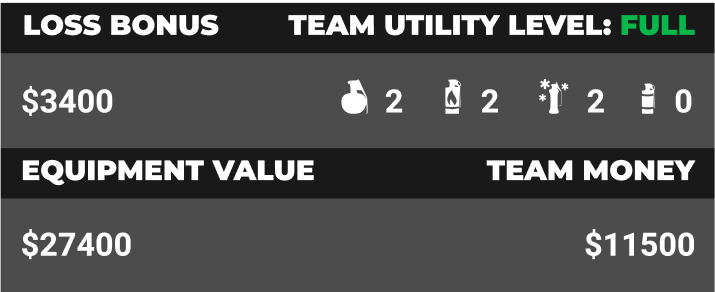
Economy Indicators
Some productions show economy through individual money values only. Others add team-level indicators, loss bonus context, equipment value, or simplified buy-state labels. The right choice depends on the level of the event and the audience.
For a high-level tournament, detailed economy information can help experienced viewers read the match. For a community broadcast, a simpler display may be better. The goal is not to show every possible value. The goal is to make the round’s economic stakes understandable.
Round History
Round history helps viewers understand momentum. It shows whether a team is building a streak, trading rounds, winning pistols, converting anti-ecos, or stealing force-buy rounds.
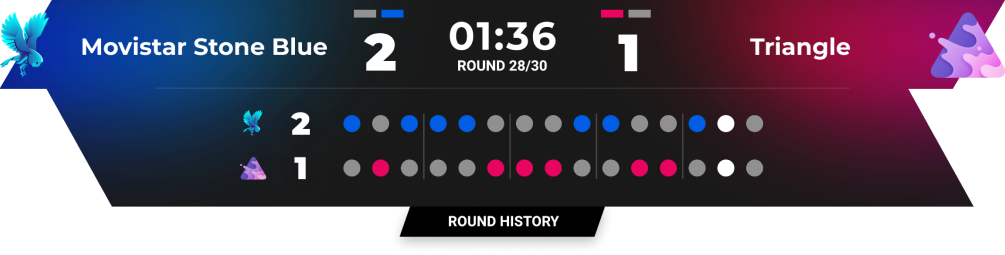
This element should be visible but not dominant. A compact row of recent round outcomes is often enough during live play, with deeper detail reserved for analyst graphics, pauses, or post-round moments.
Map or Radar-Related Context
A tournament broadcast may include radar, minimap-style context, or map-related overlays depending on the observer feed, game setup, and production format. The key question is whether the element adds clarity.
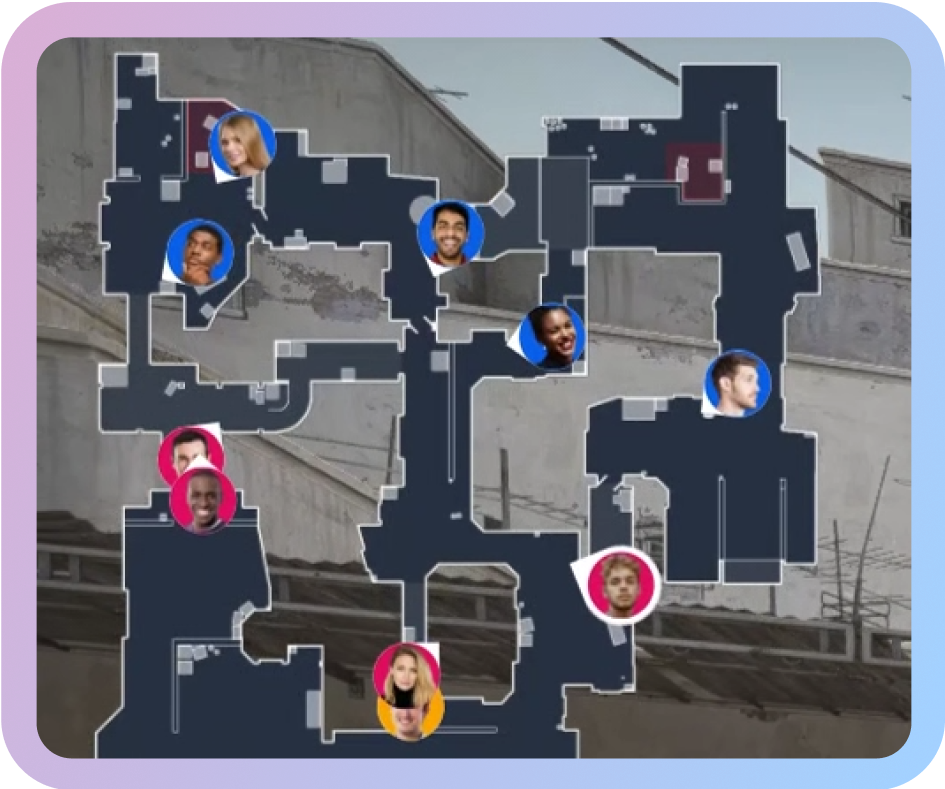
Radar context can be useful for showing rotations, defaults, split attacks, lurks, or retake setups. But if it duplicates information already shown in the game feed or competes with the action, it may create clutter. Use it deliberately.
Match Format, Map Name, Series Score, and Event Branding
Viewers joining mid-broadcast need orientation. They should be able to understand the tournament format, current map, series state, and event identity without waiting for a caster reset.
These elements can be smaller than the score and timer, but they should be easy to find. A clean top bar or match info area can usually carry this information without taking over the screen.
Sponsor or Partner Placements
Sponsors often need visibility in a tournament broadcast. The HUD can support that, but sponsor placement should never damage gameplay readability.
A logo that covers utility lineups, crosshair space, radar context, or player information will feel intrusive. Sponsor graphics usually work better in controlled areas: side panels, intermission graphics, replay frames, lower thirds, desk segments, or post-round branded moments.
CS2 HUD Design Principles
A good CS2 HUD design is readable first and stylish second. It can still look distinctive, but every design choice should survive real match conditions.
Readability at Different Screen Sizes
A HUD that looks clean on a designer’s 27-inch monitor may fall apart on a mobile stream. Many viewers watch esports on laptops, tablets, phones, or compressed embedded players. Small numbers, thin type, low-contrast icons, and tightly packed utility rows can become unreadable.
Test the HUD at 1080p and 720p. Watch it inside the streaming platform player, not only inside the design tool. Check whether the score, timer, health, utility, and money remain readable when motion, compression, smoke effects, muzzle flashes, and bright map areas are present.
Practical rule: if someone cannot read the score, round timer, and alive count in less than a second, the HUD needs adjustment.
Contrast and Visual Hierarchy
Not every piece of information deserves the same weight. Score, timer, bomb state, player health, and alive/dead state should sit higher in the hierarchy than decorative framing or secondary event branding.
Use contrast to guide the eye. Important numbers need clear backgrounds. Icons should not sit on visually noisy areas without backing. Team colors can help, but they should not make text harder to read.
Avoid very thin fonts for small data. They may look modern in static mockups, but they often disappear on stream.
Clean Spacing
Spacing is part of readability. Utility icons, player names, health values, and weapon icons need enough room to breathe. If the viewer has to decode a row of tiny elements, the HUD is overloaded.
This is especially true for side panels. A common mistake is trying to fit full name, portrait, health, armor, weapon, utility, money, K/D, ADR, and sponsor elements into one narrow strip. Some of that information may belong in separate graphics rather than the always-on HUD.
Do Not Cover Important Gameplay Areas
CS2 is full of small but important visual cues: a shoulder peek, a grenade trajectory, a shadow, a dropped bomb, a defuse attempt, a player model crossing a gap. The HUD should avoid covering areas where those cues often appear.
The center of the screen should remain clean. Avoid heavy decorative elements near the crosshair area. Be careful with large lower graphics that cover weapons, dropped utility, player feet, or close-range fights. On some maps, important action happens near the edges of the observer frame, so test the HUD on multiple maps rather than only one screenshot.
Stay Consistent With Event Branding
The HUD should feel connected to the event’s visual identity. Colors, typography, shapes, motion language, and sponsor treatment should match the rest of the broadcast package.
But branding should not reduce clarity. If the event brand uses dark purple and red, that does not mean every HUD value should sit on a dark purple background. If the brand font is highly stylized, it may work for titles but not for player money or health.
Use Motion Carefully
Animation can help guide attention during round wins, bomb plants, clutches, replays, and transitions. It can also distract viewers if it runs during live action.
Avoid constant pulsing, sliding, glowing, or rotating elements in the always-on HUD. Motion should communicate a change: a round win, a player death, a bomb plant, a timeout, a replay, or a map transition. If an animation does not tell the viewer something useful, it probably belongs outside the live HUD.
Avoid Visual Clutter
The easiest way to ruin a CS2 broadcast overlay is to show too much all the time. The HUD should answer the most important live questions. Deeper stats can appear during freeze time, pauses, replays, analyst segments, or post-round moments.
Design for Hardcore and Casual Viewers
Experienced CS viewers can read an economy row instantly. Casual viewers may need more help. A good esports HUD can serve both groups by using clear labels, recognizable icons, sensible grouping, and consistent positioning.
Do not assume every viewer knows why a force buy matters, what a kit changes in a retake, or why two smokes left can decide the round. The HUD should make those situations easier to understand without turning the screen into a tutorial.
Viewer Experience Comes First
A CS2 tournament HUD should make the match easier to watch. That is the simplest test.
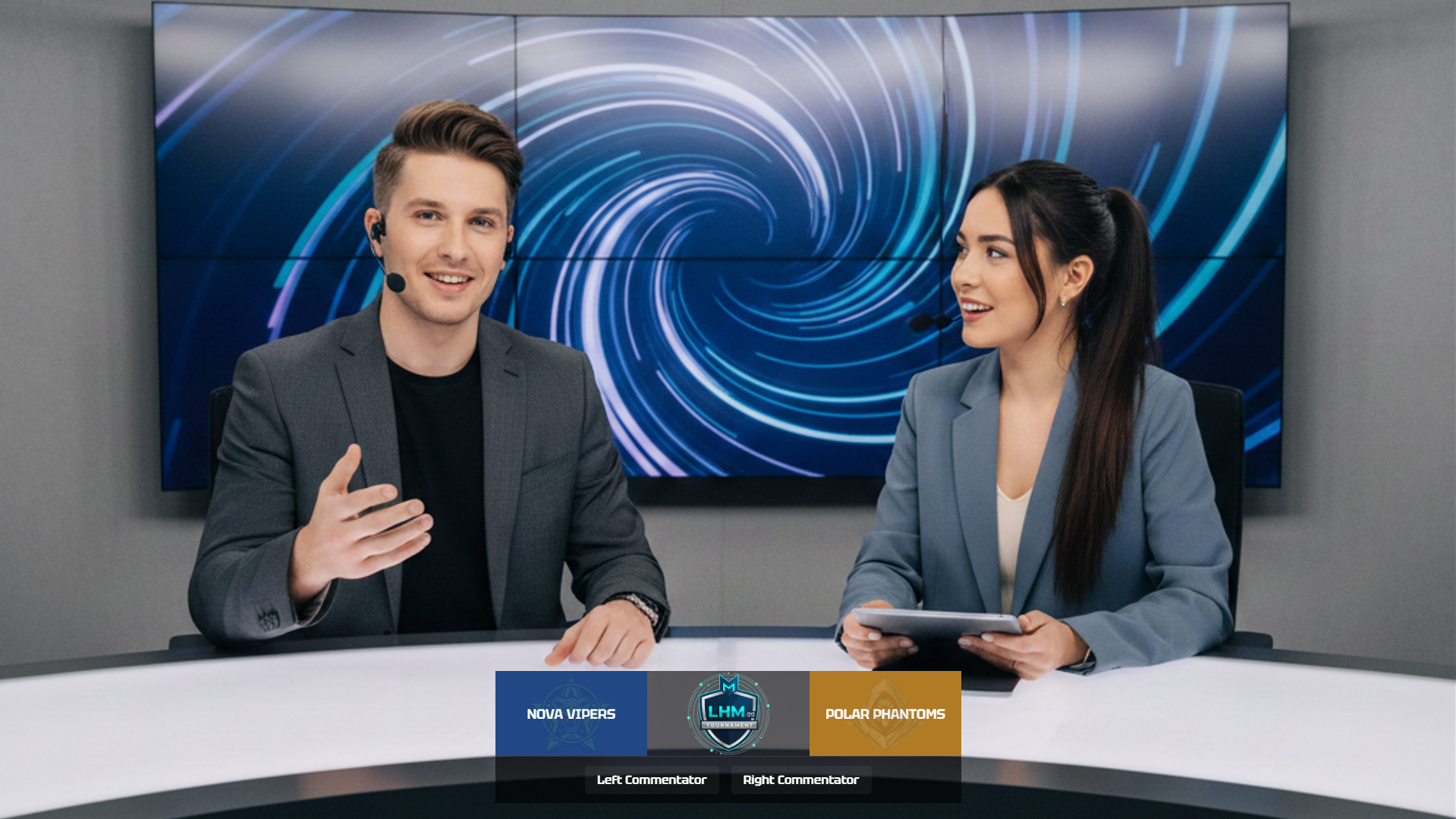
Before a round starts, viewers often scan both teams’ money, weapons, armor, and utility. They want to know whether the round is a full buy, half buy, force buy, eco, or mixed purchase. The HUD should make that scan fast.
During a clutch, viewers need different information. Health, weapon, utility, bomb state, kits, player positions shown by the observer feed, and time left all become critical. The HUD should not hide behind decoration at the exact moment the audience needs clarity.
During an execute or retake, utility information matters. If the attacking side has no flashes left, the viewer can understand why the entry path is harder. If the CTs still have a smoke and molotov, the viewer can anticipate a delay or defuse denial. The HUD should help viewers read those choices.
This is where decoration can hurt the broadcast. Heavy borders, oversized team branding, animated sponsor panels, and large lower-third elements may look impressive in a pitch deck. In a live match, they can compete with the action.
The best CS2 broadcast overlay feels present but not loud. Viewers should notice the information, not fight the graphic.
Branding and Event Identity
A custom CS2 HUD can make a tournament feel distinct. It can carry the event’s colors, typography, logo system, sponsor structure, and visual tone across the match.
Branding can appear in several places:
- Team and event color treatment
- Typography choices
- Top bar and side panel styling
- Sponsor areas
- Lower thirds
- Replay frames
- Map veto graphics
- Match summary screens
- Break screens
- Analyst graphics
- Social cutdown templates
The important point is consistency. The live HUD, tournament broadcast overlay, desk graphics, social graphics, and event assets should feel like one package.
Still, gameplay readability comes first. If a brand color makes player health hard to read, change the HUD color. If a sponsor logo distracts during duels, move it to a safer area. If a decorative pattern makes utility icons harder to distinguish, remove it.
A branded HUD should look like part of the event without getting in the way of the match.
Custom CS2 HUD vs Standard Broadcast Overlay
Not every event needs a fully custom CS2 HUD. The right choice depends on the scale, budget, brand requirements, and production goals.
When a Custom CS2 HUD Makes Sense
A custom CS2 HUD is usually worth considering for larger or heavily branded events. If the tournament has sponsors, recurring seasons, multiple broadcast languages, a polished stream package, or a need to stand apart visually, a custom HUD can support that identity.
It also makes sense for leagues and recurring formats. If the same production team will use the HUD across many match days, the investment can pay off through consistency and repeatable workflows.
Custom HUDs can also help when the broadcast has specific data, language, or regional needs. For example, an event may need localized graphics, custom sponsor areas, special match format indicators, or additional pre-match and post-match scenes.
This is where LHM can support CS2 productions that need more than a standard broadcast overlay. LHM offers custom CS2 spectator and observer HUD implementation, covering design, development, and custom functionality for tournament broadcasts. The process includes requirements and estimation, design implementation, development and QA, and support. Depending on the project scope, a custom HUD can include features such as veto history, round history, match stats, dedicated custom gamemode HUDs, custom radar, utility and financial stats, bomb timer, custom bars, LHM Cameras support, and live round or match predictions powered by Scout AI Predict.
When a Simpler Setup May Be Enough
A smaller community tournament may not need a custom HUD. If the event is testing a format, running on a limited budget, or focused mainly on clean gameplay coverage, a simpler broadcast overlay may be the better choice.
For early test events, it is often smarter to keep the setup reliable and readable rather than build a complex graphic package too soon. A clean scorebar, readable player panels, and stable production workflow will do more for the broadcast than an ambitious design that has not been tested.
The best choice is the one the production team can run confidently.
A Middle Path: No-Code HUD Customization and Full Custom HUDs
Between a simple broadcast overlay and a fully custom-built HUD, there is also a middle option: using a no-code HUD customization tool.
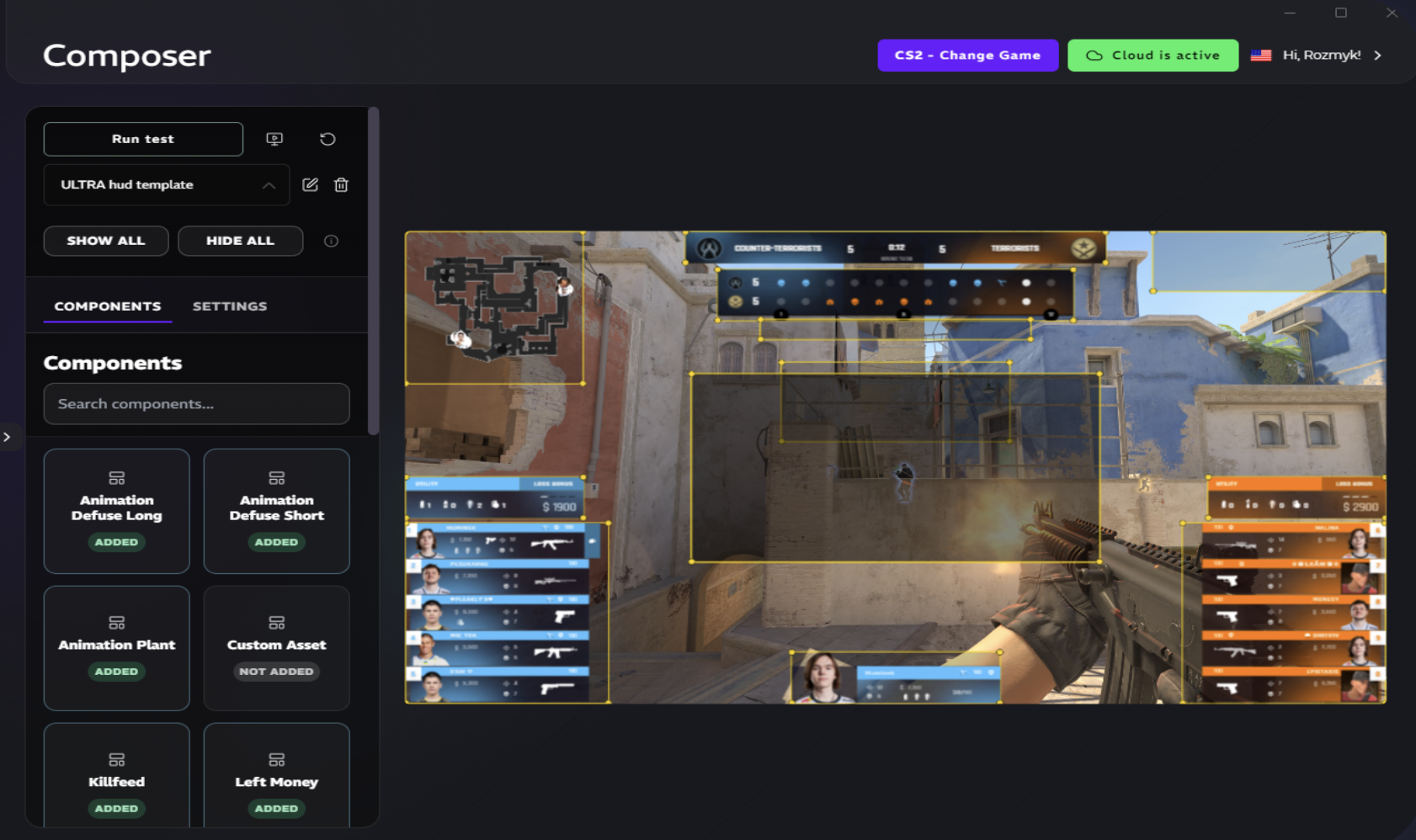
For CS2 productions, LHM HUD Composer gives teams a way to build and adjust a custom HUD without writing code. Teams can customize colors, patterns, borders, shapes, opacity, element sizes, positioning, visibility, layer order, styles, custom assets, and radar settings. HUD Composer also supports live preview, presets, LHM Cloud saving, combining components from existing LHM HUDs, and custom CSS for deeper styling control when needed.
This type of setup can work well when a tournament team wants more brand control than a standard overlay provides, but does not need a completely unique HUD developed from the ground up. It can be especially useful for recurring broadcasts, sponsor variations, seasonal designs, or productions that need to create and save multiple HUD variants.
How to Plan a CS2 HUD Before Production
A good HUD starts with planning. Use this process before design or development begins.
- Define the tournament format and broadcast needs.
Confirm match format, map pool, series structure, languages, sponsor obligations, show flow, and production setup. - Decide what information must be visible at all times.
Score, timer, alive state, player status, bomb state, and team identity usually belong in the always-on HUD. Deeper stats can appear elsewhere. - Prepare brand assets.
Collect event logos, team logos, sponsor logos, fonts, color palettes, broadcast guidelines, and safe-area requirements. - Define sponsor requirements.
Decide where sponsor logos can appear, how long they need to be visible, and which placements are allowed during live gameplay. - Map out key match states.
Plan the HUD for freeze time, live round, bomb plant, post-round, timeout, halftime, overtime, map end, and series end. - Design the HUD layout.
Start with information hierarchy. Place the most important elements first. Add styling after the layout works. - Test readability on stream.
Check the HUD at real broadcast resolution and bitrate. Review it on desktop and mobile screens. - Test real match scenarios.
Use scrims, demo playback, or test matches. Watch full rounds, not only screenshots. - Prepare backup graphics or fallback states.
Have a plan for technical issues, late data, missing logos, match delays, and HUD failure. - Review the final version with production, observers, and organizers.
Designers, observers, casters, technical directors, and tournament staff should all see the HUD before match day.
Where LHM Fits
LHM helps esports production teams manage HUDs, overlays, and broadcast graphics workflows for tournament production. For CS2 broadcasts, teams can use LHM to work with ready-made HUDs, customize HUD variants through HUD Composer, or order a fully custom CS2 HUD implementation for more advanced production needs.
LHM supports HUD management and development for CS2 and other esports titles, including cloud-based HUD workflows and custom HUD development based on Lexogrine’s open-source solutions. This makes it useful for teams that need a repeatable production setup across events, match days, sponsor packages, languages, or broadcast formats.
For CS2 specifically, LHM Ultra HUD gives production teams a ready-made broadcast HUD with configurable colors, fonts, layouts, map veto, pre-match, match summary, replay overlays, animations, and statistics.
That makes LHM relevant for teams comparing several CS2 broadcast HUD paths: ready-made HUDs, no-code customization through HUD Composer, and fully custom HUD implementation for events that need a unique spectator or observer overlay package.
FAQ
What is a CS2 tournament HUD?
A CS2 tournament HUD is the broadcast interface shown over Counter-Strike 2 gameplay. It usually displays team names, logos, score, round timer, player status, weapons, utility, money, alive/dead state, bomb status, and event branding.
What makes a good CS2 HUD design?
A good CS2 HUD is readable, stable, and useful during live rounds. Viewers should be able to understand the match state quickly without losing sight of the action. Strong contrast, clean spacing, simple icons, and careful information hierarchy matter more than heavy decoration.
Does every tournament need a custom CS2 HUD?
No. A custom CS2 HUD makes sense for branded events, recurring leagues, sponsor-heavy productions, and broadcasts with specific data or language needs. Smaller community tournaments or test events may be better served by a simpler, reliable overlay setup.
What should be tested before using a CS2 HUD live?
Test readability, score updates, side swaps, player panels, bomb state, round history, pauses, overtime, map transitions, sponsor graphics, missing assets, and fallback states. The HUD should be reviewed in real match scenarios before the event.
How early should a tournament team plan its HUD?
Start planning as soon as the tournament format, branding, sponsor needs, and production workflow are known. HUD design affects observers, graphics operators, technical directors, casters, and event staff, so it should not be left until the final days before broadcast.